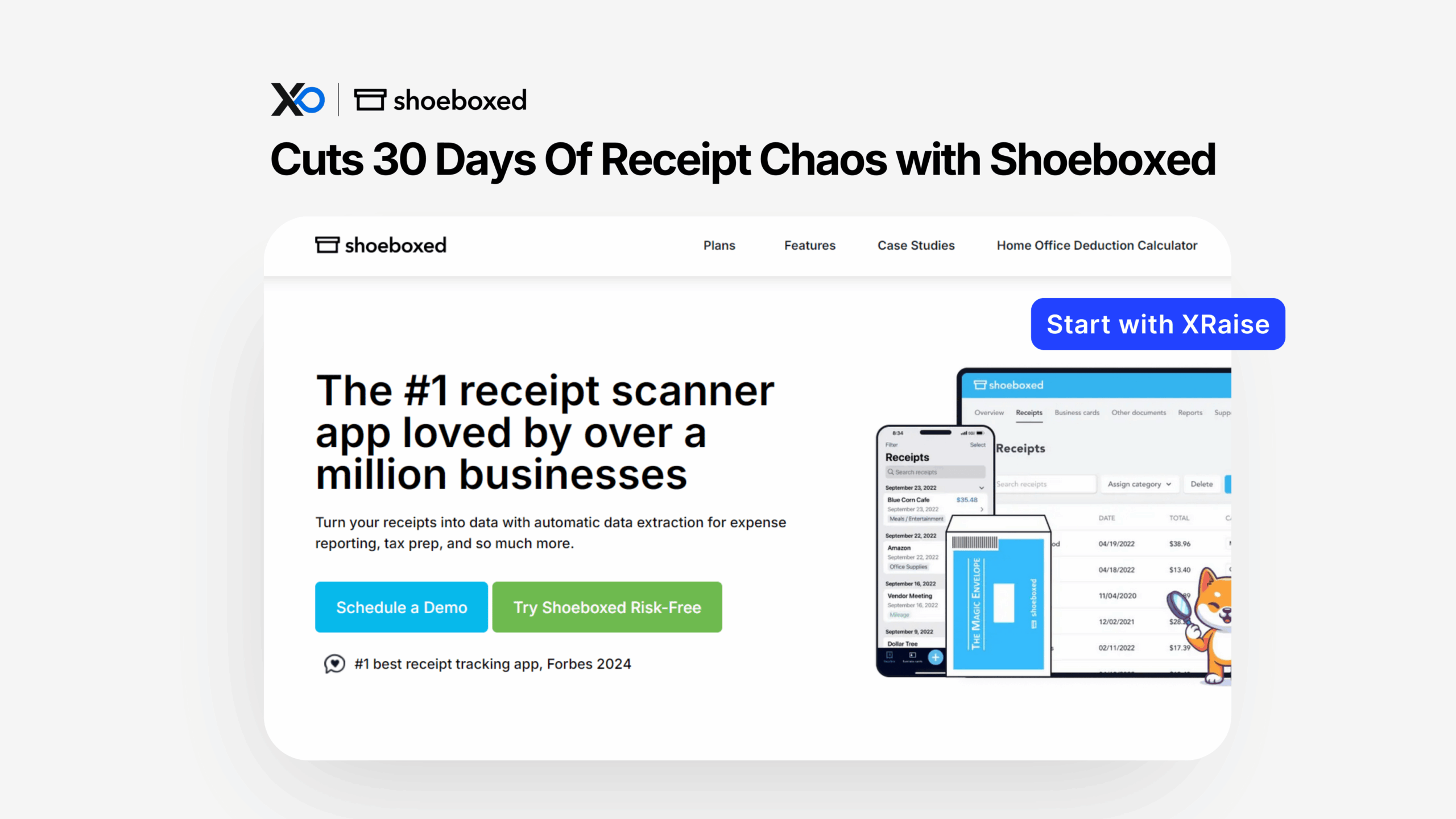
Apply for Shoeboxed on XRaise to access the Shoeboxed for Startups offer (a 30-day risk-free window and extra savings when you choose annual billing). If you want fewer missing receipts, faster month-end, and cleaner tax records, this guide shows what’s included, what’s plan-dependent, and how to apply the safe way.
TL;DR
This article provides a clear path to Apply for Shoeboxed without guessing what’s included or how the “risk-free” period works.



- What you get: 30-day risk-free window + 11%+ savings when billed yearly (plan-dependent).
- Who qualifies: typically any team that can start a Shoeboxed plan; startup-specific restrictions are not publicly confirmed.
- How to apply: apply on XRaise, then follow the redemption instructions you receive if approved.
- Next step: apply on XRaise, and use Shoeboxed’s site only to confirm official terms and plan limits.
Apply for Shoeboxed: What is Shoeboxed for Startups?
Shoeboxed for Startups is a receipt management workflow that turns receipts (paper and digital) into organized, searchable expense records for bookkeeping and tax prep. In practice, it helps founders stop losing deductions to missing paperwork and stop burning hours on receipt cleanup.
Who it’s for
- Founders doing “finance admin” between product pushes
- Ops/finance leads who want clean inputs before bookkeeping starts
- Remote teams that need one place to send receipts instead of chasing inboxes
What problem it solves
Receipts arrive through too many channels. Therefore, the close turns into a scavenger hunt. Shoeboxed centralizes intake (mail, app, email, uploads) so your expense trail stays usable.
If your bigger problem is pre-accounting (capture → clean data), it’s also worth comparing Dext’s approach.
Apply for Shoeboxed: What do you get with this perk?
This perk is positioned as:
- A 30-day risk-free window to try the workflow
- Extra savings if you choose annual billing (the vendor shows “save an additional 11%+” depending on plan)
Apply for Shoeboxed: Included in the perk
| Perk element | What it means | Notes |
|---|---|---|
| 30-day risk-free period | Try Shoeboxed and request a refund within 30 days if it’s not a fit. | Card is charged at signup. |
| Annual billing savings | Save an additional 11%+ when billed yearly. | Savings vary by plan. |
| Multiple receipt intake methods | Use mail-in, mobile capture, email forwarding, and more. | Availability/limits can vary by plan. |
Apply for Shoeboxed: What’s excluded or plan-dependent
This is the part founders should not assume.
| Limitation / condition | What it means | Why it matters |
|---|---|---|
| Mail-in is not unlimited | Envelope/paper scan allowances vary by plan; overages may apply. | Match the plan to your receipt volume. |
| Refund limits after mail-in starts | Refund may not apply after Magic Envelopes/physical scanning is requested/shipped. | Test before starting mail-in. |
| Plan limits vary | Scan volume, storage, and users differ by plan. | Compare plans before choosing. |
Best practice: treat “risk-free” as “money-back guarantee,” and treat “mail-in included” as “included within plan limits.”
Apply for Shoeboxed: Who is eligible (and who isn’t)?
Because this is a startup perk page, you want two layers of eligibility:
Likely eligible
- Teams that can start a Shoeboxed plan and want receipt capture + reporting
- Founders who want audit-ready digital receipt storage (especially if you deal with reimbursements, travel, or field ops)
Not publicly confirmed (startup perk specifics)
- Whether XRaise requires “startup verification” (stage, incorporation date, etc.)
- Whether Shoeboxed restricts the offer to new customers only
- Whether the perk applies to every plan tier globally
Therefore, the clean answer is: eligibility varies and you should apply on XRaise to see the exact terms attached to this perk.
Apply for Shoeboxed on XRaise: How to apply (step-by-step)
- Open the XRaise application page.
- Click the apply flow and sign in (or create an XRaise account).
- Submit the requested startup details (keep it consistent with your website and incorporation info, if asked).
- Watch for the approval/reply from XRaise with redemption instructions.
- If instructions include a billing preference (monthly vs yearly), choose intentionally, because yearly is where savings usually show up.
- Activate Shoeboxed using the method you’re given (this can be a code, link, or account flag; not publicly confirmed).
- Before you mail anything physical, confirm the refund and mail-in conditions on the vendor pricing page.
Apply for Shoeboxed: What it’s worth in practice

Here’s where the value actually lands in a startup budget, time, cleanliness, and fewer “we lost it” moments.
- Founder-led finance (pre-bookkeeper stage)
You forward receipts, scan a few on mobile, and stop rebuilding expense context at month-end. Because you keep everything in one system, you make faster calls on burn and runway. - Remote team reimbursements
Team members upload receipts as they happen. Therefore, reimbursements stop stalling on “please resend that receipt.” You also reduce the risk of inconsistent categories across people. - Paper-heavy spending (events, travel, field ops, retail, hardware)
You use mail-in for the ugly backlog. However, you should treat mail-in volume as plan-limited and confirm what you’ll pay for overages before you ship a giant box. - Audit readiness
Shoeboxed states its digital receipt images are accepted by the IRS and the Canada Revenue Service, and it also outlines the IRS criteria for receipt images and references IRS guidance.
If you’re building your “runway-first” operating system, this mindset of mastering starting a startup tips and tricks helps.
Apply for Shoeboxed: Tips to maximize approval + value
| Tip | What to do | Why it matters |
|---|---|---|
| Apply when you can test immediately | Use the trial during a real receipt-heavy week. | You avoid wasting the trial window. |
| Pick one owner for intake rules | Assign one person to define what gets uploaded and when. | Keeps receipt capture consistent. |
| Start digital-first, then add mail-in | Begin with app/email uploads before physical mail-in. | Reduces friction and avoids plan/refund surprises. |
| Standardize categories early | Set clear receipt categories (travel, meals, etc.). | Improves reporting consistency. |
| Export cadence beats perfection | Run weekly exports/reports instead of waiting. | Catches errors before tax week. |
Apply for Shoeboxed: Alternatives (optional)
If Shoeboxed isn’t the right fit, choose based on your bottleneck:
- Dext (capture + extraction “pre-accounting” workflows).
- QuickBooks ecosystem (if you want accounting + receipt capture in one place).
- Xero ecosystem (if you’re already on Xero and want a tight accounting-led workflow).
- BILL (if the real pain is approvals/payables, not receipt capture).
Shoeboxed tends to win when you want flexible intake (including mail-in) and an “audit-ready” receipt archive.
Apply for Shoeboxed: FAQ
How do I apply?
Apply through XRaise perks directory.
What do I need to qualify?
At minimum, you should be able to provide basic startup/account details during the XRaise application. Any extra eligibility rules are not publicly confirmed.
Can I stack this with other offers?
Not publicly confirmed. Assume you cannot stack unless the XRaise perk terms explicitly say you can.

Startup Perks AI Assistant
Have questions about credits? Let's chat instantly.
What happens after it expires?
The “risk-free” window ends after 30 days (vendor frames it as a money-back guarantee). After that, normal billing applies under the plan you selected.
Does it apply to all plans?
Plan coverage varies. The vendor shows different limits and savings by plan, so confirm the plan you intend to use before you commit.
Where can I confirm the terms?
Use Shoeboxed’s official pages for terms/details and pricing/guarantee.
How does the 30-day risk-free trial work?
Shoeboxed describes it as a 30-day, 100% money-back guarantee: they charge your card at signup, and you can request a refund within 30 days if it’s not a fit (with conditions around physical mail-in).
Is the prepaid mail-in service really free?
Shoeboxed advertises a postage-paid envelope option, but envelope frequency and paper scan volumes vary by plan and overages can apply. Confirm your plan’s limits.
Do digital receipts meet tax audit standards?
Shoeboxed states its digital receipt images are accepted by the IRS and Canada Revenue Service, and it references IRS guidance on receipt image requirements.
Apply for Shoeboxed: Final Thoughts
If your team keeps losing receipts, delaying reimbursements, or dreading month-end cleanup, Shoeboxed for Startups is a practical “inputs-first” fix, especially if you want multiple intake options (including mail-in) and an audit-ready receipt archive.
Apply for Shoeboxed here (XRaise application) and for official terms and plan limits (no applying there), confirm details on Shoeboxed’s official page.