TL;DR
- Value: ClickUp gives startups a Free Forever workspace with tasks, docs, boards, calendar, forms, and basic planning tools.
- Best fit: pre-seed, seed, remote, SaaS, and bootstrapped teams that need one operating workspace before buying multiple tools.
- Key benefit: founders can manage early execution, documentation, schedules, and team planning before committing to paid productivity software.
- Action: start with the free plan, map real usage, then upgrade only when storage, chat, reporting, permissions, or automation limits block the team.
What Is the ClickUp Free Plan for Startups?
The ClickUp free plan for startups is a no-cost Free Forever workspace for founders who need one place to organize tasks, docs, schedules, simple forms, Kanban boards, sprint planning, and early team operations. XRaise lists ClickUp for Startups as a free forever plan for startup teams.

ClickUp for Startups
Free forever plan for an all-in-one workspace for teams.
For early-stage founders, the decision is whether ClickUp can replace enough separate tools to reduce tool sprawl before the team pays for project management, documentation, whiteboarding, meeting follow-up, chat, and planning software. Use it as an operating base while your startup is still learning how work moves through the team.
Related Posts




Does ClickUp Have a Promo Code or Startup Credit?
ClickUp does not currently show a verified public startup promo code in the official evidence reviewed for this update. If you searched for a ClickUp promo code, ClickUp discount code, or ClickUp coupon code, the more accurate startup path is the application-based ClickUp for Startups program.
ClickUp’s current startup page says qualifying startups can receive $3,000 in ClickUp credit with an upgraded Enterprise workspace. The listed requirements include affiliation with an approved funding partner, a maximum stage of Series B, incorporation less than five years ago, and being new to ClickUp or currently on the Free Forever plan.
That makes the startup credit different from ClickUp Free Forever. Free Forever is the no-cost plan founders can start using directly. ClickUp for Startups is a separate application route for qualifying teams that may need credit and Enterprise workspace access. Start with Free Forever if you are validating ClickUp as your operating workspace; review the startup credit path only if your company appears eligible.
What Does the ClickUp Free Forever Plan Include in 2026?
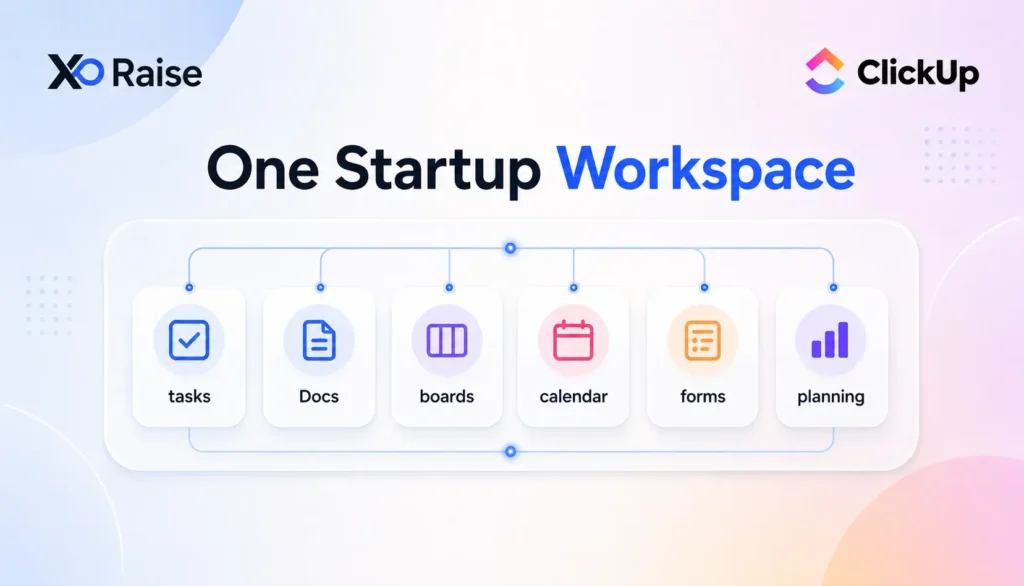
ClickUp’s official pricing page currently lists Free Forever with 60MB storage, unlimited tasks, unlimited free plan members, two-factor authentication, collaborative docs, Kanban boards, sprint management, calendar view, a basic Custom Field Manager, in-app video recording, 24/7 support, and one form.
| Free plan area | What founders can use it for | Startup decision value |
|---|---|---|
| Tasks, lists, and boards | Product work, bugs, launch tasks, hiring, and content calendars | Replace scattered to-do lists and spreadsheets |
| Docs and recordings | Specs, meeting notes, SOPs, walkthroughs, and async updates | Keep context close to execution |
| Calendar and sprints | Release planning, recurring reviews, campaigns, and engineering cycles | Give the team a lightweight operating rhythm |
| Forms and fields | One intake flow plus simple ownership, priority, and status fields | Standardize requests before building a larger ops stack |
Which Startup Workflows Can ClickUp Replace Before Upgrading?
ClickUp can replace several early workflows when the team is still small and disciplined. Strong fits include founder task tracking, product boards, roadmap work, bug triage, launch plans, meeting notes, customer feedback intake, lightweight sprint planning, and internal operations.
Use ClickUp for startups if your team needs an operating system before it needs a procurement process. It is especially useful for:
- Founder task tracking for fundraising, product, GTM, hiring, and admin work
- SaaS teams keeping roadmap, bugs, docs, and launches together
- Remote teams that need async task ownership and written context
- Bootstrapped teams reducing paid software before revenue is predictable
- Operators replacing a mix of spreadsheets, docs, calendar reminders, and chat threads
The ClickUp free forever plan works best when the team accepts simple structure. If every function wants custom reporting, private workspaces, deep integrations, unlimited chat history, or advanced automations, the free plan will feel tight quickly.
When Is the ClickUp Free Plan Enough for Early Teams?
The ClickUp free plan is enough when your startup is proving workflows, not scaling them. It usually fits teams with a small number of active collaborators, simple Spaces and Lists, low file-storage needs, basic reporting, and a weekly review rhythm.
It is less likely to be enough when ClickUp becomes the official memory for every function. If the team needs granular guest permissions, multiple forms, private whiteboards, unlimited integrations, advanced dashboards, or heavy automation, compare free limits against paid ClickUp pricing before workarounds become the system.

Startup Perks AI Assistant
Have questions about credits? Let's chat instantly.
What ClickUp Free Plan Limits Should Founders Check?
The most important ClickUp free plan limits are storage, chat history, whiteboards, forms, advanced views, automations, exports, and AI usage. These limits do not make the free plan weak; they show where the upgrade decision will appear.
- Storage: ClickUp’s pricing page lists 60MB storage on Free Forever.
- Forms: the official views limits show Free Forever includes one Form view.
- Whiteboards: ClickUp’s help center lists three public Whiteboards on Free Forever and no private Whiteboards.
- Chat: ClickUp’s chat limits show Free Forever can send messages, but with a 1,000-message workspace limit and 90-day history.
- Views: Calendar, List, Board, Table, Doc, and Dashboard views are available, while some advanced view types have usage limits.
- Clips: Free Forever includes 10 Clip uses, and Clips count toward storage.
- AI Notetaker: ClickUp says AI Notetaker can be purchased as a standalone add-on on any plan, while advanced features depend on higher plans.
How Do Startups Sign Up for the ClickUp Free Plan Through XRaise?
There is no complex credit application for the basic free plan. Start from the XRaise listing, confirm the current offer, and organize your ClickUp workspace around one clear operating use case.
- Open the ClickUp for Startups perk on XRaise.
- Review the current free forever offer and any claim notes.
- Create a ClickUp workspace with your startup email.
- Build one Space for the highest-friction workflow first: product, GTM, operations, or founder tasks.
- Add tasks, Docs, owners, due dates, and one shared weekly review board.
- Track which limits appear before upgrading.
When Should a Startup Upgrade from Free ClickUp?
A startup should upgrade from free ClickUp when free limits create operational drag that costs more than the paid plan. Upgrade signals include:
- Storage limits interrupt file-heavy work, product feedback, or internal documentation
- Chat history becomes part of team memory and the 90-day limit is risky
- Multiple intake forms are needed for support, hiring, customer feedback, and internal operations
- The team needs unlimited integrations with Slack, HubSpot, Google Drive, GitHub, or other systems
- Founders need better dashboards, workload planning, portfolios, goals, or time tracking
- Automation volume is high enough that manual routing wastes operator time
The practical test is simple: if ClickUp saves time every week but free limits cause workarounds every week, paid ClickUp is easier to justify.
How Does ClickUp Fit with AWS Activate, Google Cloud Credits, Azure for Startups, and HubSpot?
ClickUp should not replace your whole startup stack. It should coordinate the work around the stack.
For infrastructure, founders can compare AWS Activate, Google Cloud startup credits, and Microsoft Azure for Startups while using ClickUp to track launch tasks, technical milestones, customer requests, and roadmap decisions.
For revenue operations, HubSpot for Startup can own customer records and pipeline while ClickUp owns delivery, handoffs, and operating cadence.
Pricing
Founders should check ClickUp’s official pricing page before upgrading. As of July 25, 2026, ClickUp’s pricing page lists these public plan details:
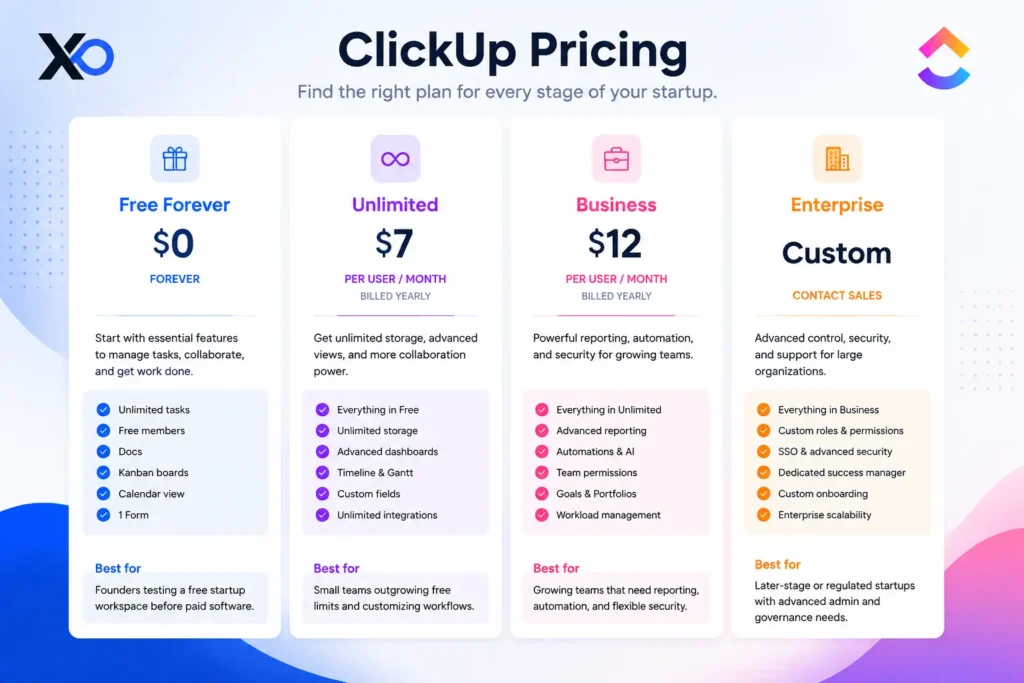
Model ClickUp pricing by active paid users, renewal cost, storage needs, and the workflow the paid plan actually solves.
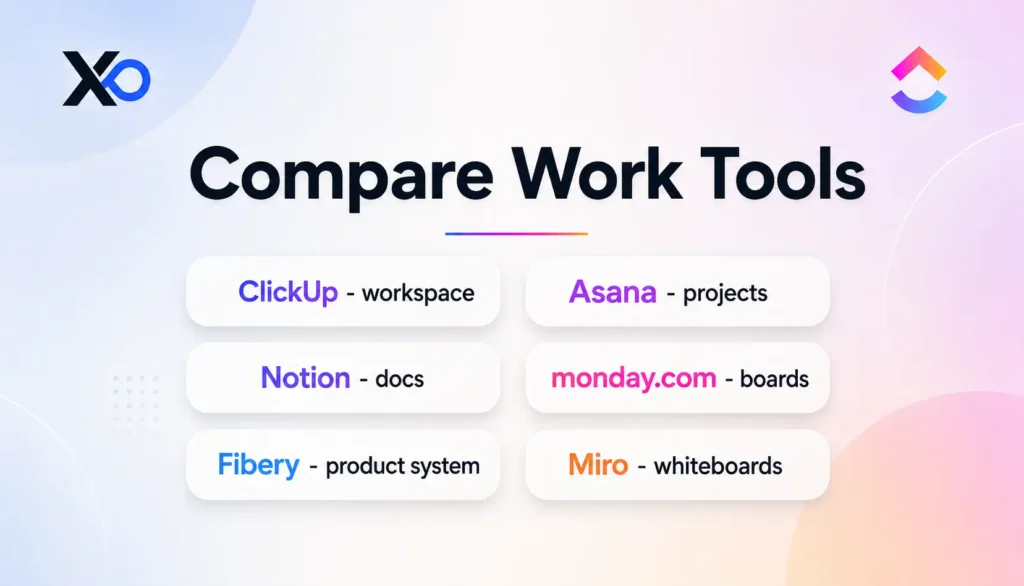
Which ClickUp Alternatives and Related Startup Perks Should Founders Compare?
ClickUp alternatives matter because early teams usually do not need more tools. They need clearer ownership. These XRaise-listed perks are either direct work-management alternatives or related tools for docs and visual planning.
Asana for Startups
Asana for Startups offers 6 months of Advanced free for polished project management, ownership, dependencies, timelines, and cross-functional execution.
Notion for Startups
Choose Notion when your team needs one place for docs, wikis, specs, notes, and company memory, with up to 6 months free for eligible startups.

Notion for Startups
Up to 6 months free on an AI workspace for growing teams.
monday.com for Startups
monday.com for Startups is listed with a free plan and unlimited time for visual work management, team boards, and operating workflows.
Fibery for Startup
Fibery for Startup offers 6 months of Pro free for connected product strategy, feedback, roadmap, and execution.
FAQ
Is the ClickUp free plan for startups really free in 2026?
Yes. ClickUp’s public pricing page lists a Free Forever plan at $0. Founders should still confirm current limits, workspace settings, add-ons, and upgrade prompts before using it as the startup’s main operating workspace.
What is included in the ClickUp free forever plan?
The ClickUp free forever plan includes unlimited tasks, unlimited free plan members, collaborative Docs, Kanban boards, sprint management, calendar view, basic custom fields, in-app video recording, 24/7 support, 60MB storage, and one Form on the current pricing page.
How do startups claim ClickUp for startups through XRaise?
Start from the XRaise ClickUp perk page, review the current free forever offer, create or organize your ClickUp workspace, and build one priority workflow first. Track real usage before upgrading to a paid plan.
What ClickUp free plan limits matter most for founders?
Founders should check storage, chat history, forms, whiteboards, advanced views, exports, automation volume, AI add-ons, and guest permissions. These are usually the limits that push teams from free ClickUp into paid ClickUp pricing.
When should a startup upgrade ClickUp?
Upgrade when the team has a recurring blocked workflow: storage, unlimited forms, integrations, reporting, message history, automations, private whiteboards, permissions, exports, or security. Do not upgrade just because paid features are available.
Is ClickUp pricing worth it for small startup teams?
ClickUp pricing is easier to justify when the paid plan replaces multiple tools or removes weekly operational friction. Before upgrading, founders should name the workflow being fixed and estimate seat count, renewal cost, and adoption risk.
Does ClickUp have a promo code for startups?
No verified public ClickUp promo code for startups was found in the current official evidence. The more accurate startup path is ClickUp for Startups, an application-based program for qualifying teams.
How much ClickUp startup credit is available?
ClickUp’s current startup page lists $3,000 in ClickUp credit for qualifying startups, with an upgraded Enterprise workspace and onboarding resources.
Is ClickUp for Startups different from Free Forever?
Yes. Free Forever is ClickUp’s no-cost plan. ClickUp for Startups is a separate application-based program for qualifying startups that may receive credit and Enterprise workspace access.
Should Your Startup Use the ClickUp Free Plan Before Upgrading?
Use the ClickUp free plan for startups before buying a productivity stack if your team needs one shared place for tasks, Docs, meetings, schedules, and planning. Start with ClickUp for Startups through XRaise, build one operating workflow, and measure actual usage before upgrading.
Claim the ClickUp free forever plan through XRaise now, use it to reduce tool sprawl, and upgrade only when ClickUp pricing is clearly cheaper than the confusion, duplicate tools, and manual coordination your team is already carrying.
ClickUp for Startups
Free forever plan for an all-in-one workspace for teams.