Last updated: October 12, 2026
TL;DR
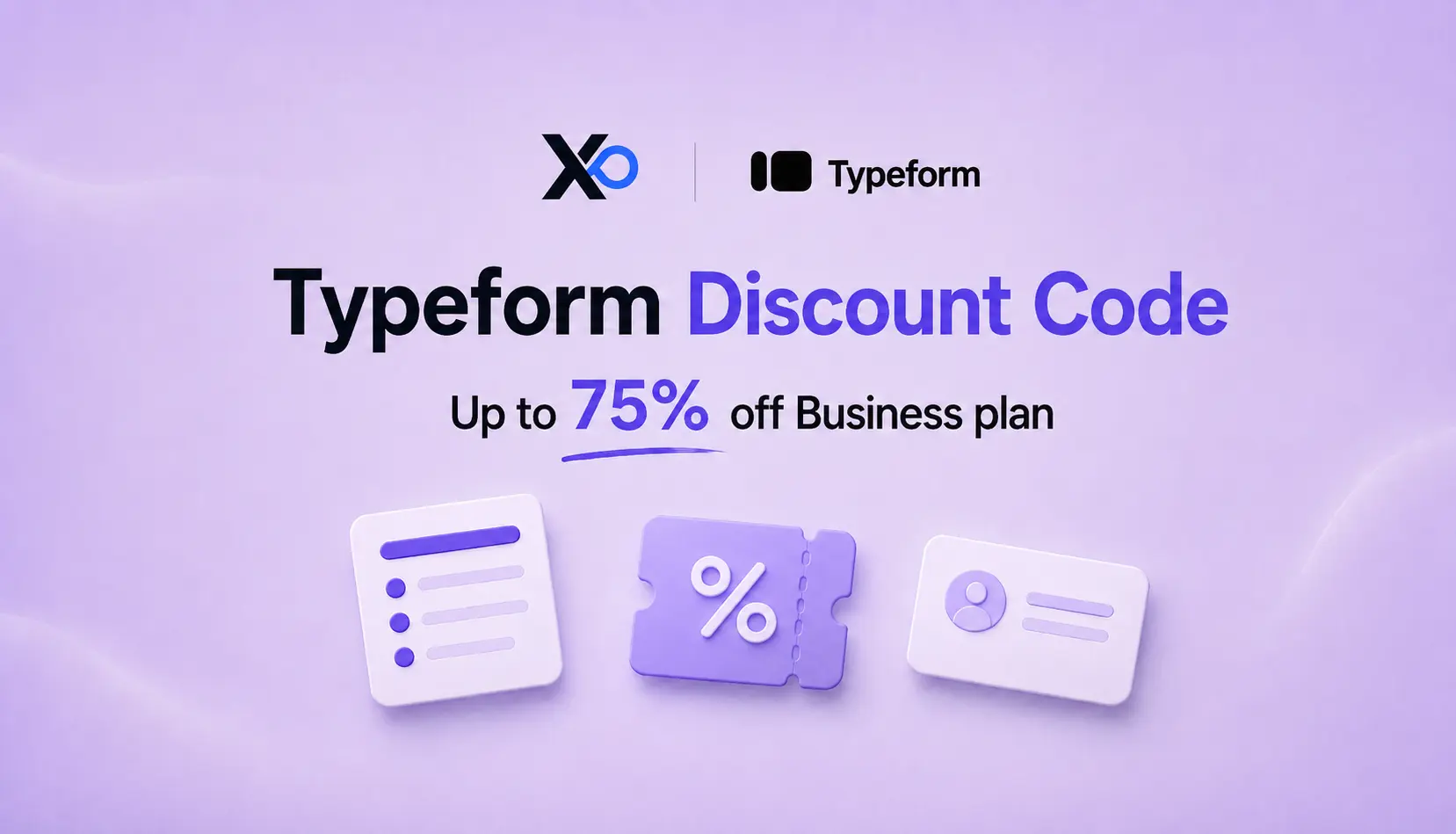
- Value: startups can claim up to 75% off Typeform’s annual Business plan through XRaise.
- Best fit: customer discovery, lead capture, onboarding, feedback, surveys, and validation workflows.
- Key benefit: better response quality with branded conversational forms, logic, analytics, and integrations.
- Action: claim the Typeform startup perk before scaling research, onboarding, or lead-gen forms.
What is Typeform discount code for Startups?
XRaise currently lists up to 75% off Typeform’s annual Business plan for one year for new startup users. This is a startup perk claim route, not a universal public coupon code. Follow the current XRaise claim instructions and confirm provider approval, the applied discount, and the annual invoice before payment.
Typeform for startups is a startup discount offer for teams that want more engaging forms, surveys, quizzes, lead capture flows, onboarding forms, and feedback workflows without paying full Business plan pricing upfront.
Related Posts




The XRaise-listed perk offers up to 75% off Typeform’s annual Business plan. For founders, the practical question is simple: are forms becoming part of your growth, research, or customer workflow? If yes, the discount can help you move beyond basic form collection into branded, logic-driven, conversion-aware forms earlier.

Typeform for Startups
Up to 75% off annual Business for one year.
What Does Typeform Offer Early-Stage Teams?
Typeform is a form and survey platform built around conversational, one-question-at-a-time experiences. Startups use it when a plain form feels too cold for customer discovery, demo requests, market validation, onboarding intake, event registration, product feedback, or customer surveys.
The tool is strongest when completion rate and answer quality matter. A product team can screen beta users, a growth team can qualify inbound leads, and a SaaS team can collect onboarding context before implementation.
What Is Included in the Typeform Startup Offer?
| Item | Details |
|---|---|
| Perk value | Up to 75% discount |
| Plan focus | Annual Typeform Business plan |
| Best fit | Conversational forms, surveys, lead capture, onboarding, feedback, and validation |
| Official Business plan base | Typeform lists Business with 10,000 responses/month, 5 users, drop-off rates, conversion tracking, priority support, and live chat |
| Claim path | XRaise Typeform for startups perk page |
| Key pricing caution | Final discount and checkout terms should be confirmed on the XRaise and Typeform claim flow |
| Strong startup signal | A real use case for research, growth, onboarding, customer feedback, or lead capture |
Who Should Use the Typeform Discount Code?
Typeform is best for founders and operators who need forms to perform like a product touchpoint, not a back-office utility.
Strong fits include:
- SaaS founders collecting demo requests, onboarding data, or product feedback
- Product teams running customer discovery, beta applications, feature voting, or churn research
- Growth teams building lead capture, waitlists, event registration, quizzes, and campaign forms
- B2B teams routing qualification answers into a CRM or sales workflow
- Customer success teams collecting NPS, expansion signals, implementation details, and support intake
- Lean teams that want branded forms before they have a full research or growth operations stack
The discount is less urgent if you only need a basic contact form, internal checklist, or low-volume survey with no routing, analytics, branding, or workflow needs.
Who Is Eligible for the Typeform Discount Code?
XRaise’s current Typeform perk FAQ lists the offer for new startup users subscribing to the annual Business plan. It asks for company and contact details, founding year, sector, team size, funding stage, and annual revenue. Its public listing does not specify numerical funding, revenue, employee, or company-age thresholds.
Typeform also runs a public startup program. Its startup page excludes paying customers and lists funding below $5 million, fewer than 50 employees, and companies younger than five years. Its startup-discount Help Center article instead lists seed-stage startups, funding and lifetime revenue below $1 million each, and no existing Typeform customer.
Those public requirements differ and may not be identical to the XRaise route. The exact XRaise-specific eligibility rules are not publicly documented by Typeform. Follow XRaise’s claim instructions and confirm final provider approval and the applied discount before payment. The listing’s immediate-access language should not be treated as guaranteed Typeform approval.
Use the startup perk eligibility checklist to prepare your application information.
Do not assume a generic Typeform discount code will work at checkout. Start from the XRaise perk page and follow the claim instructions.
How Does the Typeform Discount Code Work?
The Typeform discount code for startups is best understood as a startup discount path, not a public coupon marketplace code. It reduces annual Business plan cost while your team tests whether better forms improve response rates, qualification, research, or onboarding.
Use the discount window to answer four operating questions:
- Which forms produce qualified leads or useful research?
- Which questions cause drop-off?
- Which forms should connect to HubSpot, Slack, Google Sheets, Salesforce, or your database?
- Which workflows justify Business plan features after the discount ends?
Connect the form workflow to the rest of your startup stack early. AWS Activate, Google Cloud Credits, and Azure for Startups can support infrastructure; HubSpot for Startups can hold CRM context; Mixpanel or Amplitude can analyze behavior after Typeform captures the first signal.
How Do You Apply for the Typeform Startup Perk Through XRaise?
- Open the Typeform for startups perk on XRaise.
- Review the current discount, plan, and claim instructions.
- Confirm the annual Business plan matches your startup’s needs.
- Follow the vendor instructions provided by XRaise before choosing a paid Typeform subscription; confirm that your customer status qualifies.
- Follow the XRaise claim path before checking out.
- Confirm the discount is applied to the annual Business plan before payment.
- Build your first priority workflows: lead capture, onboarding, feedback, or customer research.
- Connect responses to your CRM, spreadsheet, support, analytics, or notification tools.
What Typeform Use Cases Make the Most Sense for Startups?
- Lead capture is the clearest growth use case. Typeform can turn a demo request into a qualification flow that captures company size, role, pain point, budget, timeline, and routing answers before sales outreach.
- Customer discovery is another strong fit. Founders can screen interview candidates, collect pain points, prioritize feature requests, and compare responses across segments.
- Onboarding forms work well when you need customer context before implementation. SaaS teams can collect goals, integrations, account details, migration needs, and stakeholders before kickoff.
- Feedback workflows fit churn surveys, NPS, post-event feedback, beta feedback, investor updates, and customer advisory board input.
What Hidden Constraints Should Founders Check First?
First, the discount is tied to the annual Business plan. If you only need a free, Basic, or Plus workflow, the startup perk may be more plan than you need.
Second, response limits still matter. Typeform lists Business with 10,000 responses/month included, and response limits reset monthly. High-volume campaigns, viral waitlists, or large research panels should be planned before launch.
Third, integrations do not replace a system of record. Typeform can collect and route answers, but your CRM, analytics tool, support desk, or database may still own downstream workflows.
Fourth, sensitive data needs review. Avoid collecting health, financial, legal, or regulated data without checking consent, retention, security, and compliance requirements.
The listed discount lasts one year. Typeform’s payment terms describe advance invoicing and recurring charges, with applicable taxes shown at checkout. Confirm the first annual invoice, renewal date, post-discount price, and cancellation process before payment. No public offer-redemption deadline was verified.

Startup Perks AI Assistant
Have questions about credits? Let's chat instantly.
Pricing
Check the official Typeform pricing page before purchase.
| Plan | Details | Best for |
|---|---|---|
| Basic | $39/month monthly or $28/month when billed yearly; 100 responses/month, 1 user, unlimited typeforms, logic, webhooks, and integrations. | Early prototypes and simple startup forms. |
| Plus | $79/month monthly or $56/month when billed yearly; 1,000 responses/month, 3 users, removed Typeform branding, and custom subdomain. | Branded lead capture and lightweight marketing forms. |
| Business | $129/month monthly or $91/month when billed yearly; 10,000 responses/month, 5 users, drop-off rates, conversion tracking, priority support, and live chat. | Startups using the XRaise discount for lead-gen, onboarding, and research. |
| Growth Flow | $379/month monthly or $266/month when billed yearly after a 14-day trial; enrichment, smart insights, Salesforce integration, and follow-ups. | GTM teams that need automated follow-up. |
| Enterprise | Custom plans with limitless responses, dedicated account management, enterprise security, custom domains, onboarding, and expert support. | Larger teams, regulated workflows, and high-volume programs. |
Alternatives
These alternatives are closest for surveys, feedback, lead capture, customer workflows, or conversion tracking. Typeform is strongest when respondent experience and completion quality matter.
| Tool | Best for | When to choose |
|---|---|---|
| SurveyMonkey for Startups | Advanced survey platform | Choose SurveyMonkey if your main need is structured surveys, research questionnaires, or enterprise-style survey programs. |
| BugHerd for Startups | Website feedback | Choose BugHerd if you need visual website feedback and issue capture rather than general forms and surveys. |
| Leadpages for Startups | Landing pages and lead capture | Choose Leadpages if the priority is building conversion pages with embedded lead capture instead of standalone conversational forms. |
| HubSpot for Startup | CRM and customer platform | Choose HubSpot if forms need to live inside a broader CRM, marketing automation, and sales pipeline workflow. |
| WhatConverts for Startups | Lead tracking and analytics | Choose WhatConverts if attribution, call tracking, and lead source reporting matter more than form design. |
FAQ
Is there a Typeform discount code for startups?
Yes, XRaise lists a Typeform for startups perk offering up to 75% off the annual Business plan. It should be claimed through the XRaise perk page rather than treated as a generic public coupon code.
How much can startups save on Typeform?
The listed startup offer is up to 75% off Typeform’s annual Business plan. The final amount depends on the current claim flow, plan terms, and checkout details, so confirm the applied discount before payment.
Which Typeform plan does the startup discount apply to?
The XRaise listing frames the offer around Typeform’s annual Business plan. Typeform’s official pricing page lists Business with 10,000 responses/month, 5 users, drop-off rates, conversion tracking, priority support, and live chat.
Is Typeform worth it for early-stage startups?
Yes, if forms affect revenue, research, onboarding, or customer feedback quality. It is less urgent if you only need a basic internal form or very low-volume survey.
Should I use Typeform or SurveyMonkey?
Use Typeform for respondent experience, brand feel, conditional logic, and completion quality. Consider SurveyMonkey for advanced survey administration or traditional research workflows.
Should I claim Typeform through XRaise?
Yes, if you plan to use Typeform Business for lead capture, customer discovery, onboarding, feedback, or surveys. Claiming through XRaise gives you the direct startup discount path before annual subscription cost scales.
Who qualifies for the XRaise Typeform offer?
XRaise’s current FAQ lists new startup users subscribing to the annual Business plan. Follow its claim instructions and confirm provider approval before payment. The exact XRaise-specific eligibility rules are not publicly documented by Typeform.
Is the XRaise offer the same as Typeform’s public startup discount?
Do not assume identical eligibility. Typeform’s public startup page and Help Center publish different requirements. XRaise lists its own claim route for new startup users. Follow the XRaise instructions for that offer and confirm the applied discount before payment.
Can existing Typeform customers use the XRaise offer?
XRaise describes the offer for new startup users. Typeform’s public startup page excludes paying customers, while its Help Center excludes all existing customers. Existing users should confirm eligibility through the XRaise claim instructions before subscribing or changing plans.
What happens after the Typeform discount period?
XRaise lists the discount for one year. Typeform documents recurring billing and advance invoices. Confirm your renewal date, next invoice, post-discount price, and cancellation process; a second discounted year is not publicly confirmed.
Is approval for the Typeform startup discount guaranteed?
No. XRaise lists access to the offer and vendor instructions, but that does not guarantee Typeform approval or automatic activation. Follow the claim instructions and confirm eligibility, the annual Business discount, and the invoice before paying.
Should You Claim Typeform for Startups?
Claim the Typeform for Startups perk through XRaise if forms help your startup learn, sell, or onboard customers. The Typeform discount code for startups is most useful before scaling research, onboarding, feedback, lead capture, demo requests, or surveys, while you can refine questions, routing, qualification, and integrations.
Use the discount period to prove which forms drive responses, better lead qualification, cleaner data, and faster follow-up. If Typeform becomes repeatable in product, marketing, sales, or success, claim the XRaise perk now to reduce annual cost while you validate the system.
Typeform for Startups
Up to 75% off annual Business for one year.