Last verified: June 17, 2026
TL;DR
- Google Gemini for startups is useful when your team already works in Google tools and needs faster research, drafting, analysis, or lightweight AI assistance.
- The main benefit is workflow proximity, but the main risk is trusting AI output without review or governance.
- It is best for founders, operators, marketers, product teams, and technical teams that can test Gemini on real work.
- Start with a focused two-week workflow test, then review related AI and cloud savings through XRaise before adding more paid tools.
What is Google Gemini?
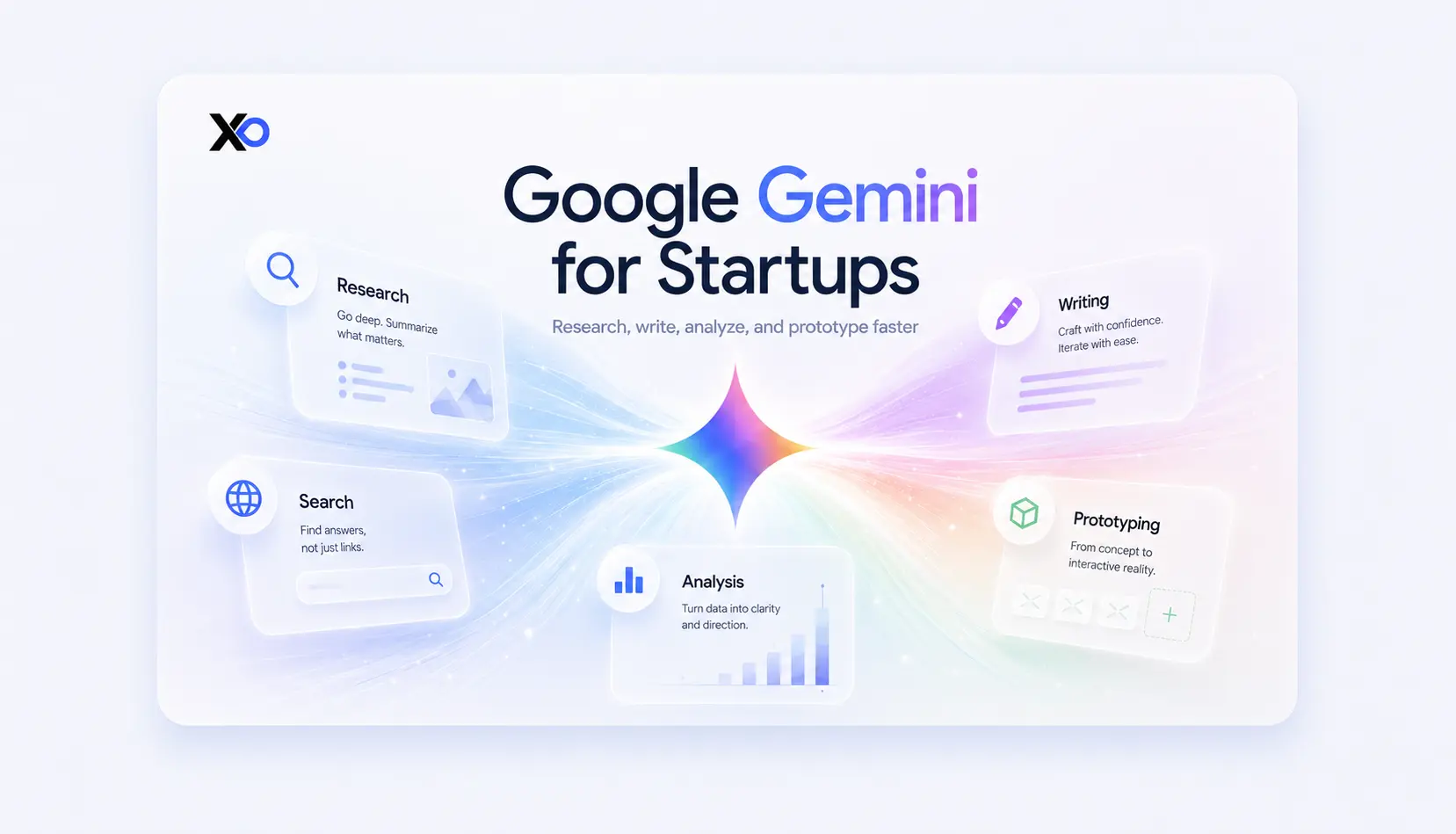
Google Gemini is a generative AI assistant and family of multimodal models from Google. It can work with text, code, images, documents, spreadsheets, search context, and, depending on the product surface and plan, deeper reasoning, research, media generation, and Google Workspace features.
For a startup, Gemini is less a single tool and more a layer across several workflows. You may use Gemini in the consumer Gemini app for research and writing, in Google Workspace for Gmail, Docs, Sheets, Meet, and Drive assistance, in Google AI Studio for prototyping, or through Google Cloud and Vertex AI for production AI applications.
Related Posts



That makes Gemini AI useful when your team already lives in the Google ecosystem. It is less useful if your work depends on highly specialized workflows, strict data controls you have not reviewed, or AI outputs that need to be production-ready without human review.
For a wider startup stack view, XRaise‘s guide to startup tools for founders can help you compare AI tools against the rest of your operating system.
How Does It Work?
You Ask Gemini to Help with a Real Task
You can use Gemini like an AI assistant: ask it to draft, summarize, compare, brainstorm, rewrite, analyze, explain, or generate structured next steps. The best startup use cases are tied to work you already need to do, such as customer research, sales follow-up, investor memo drafting, hiring scorecards, feature analysis, support summaries, or launch planning.
Gemini Becomes More Useful Inside Google Workflows
Gemini’s practical advantage is proximity. In Google Workspace, Gemini can help with Gmail, Docs, Sheets, Meet, Drive, Slides, Vids, and Chat depending on plan availability. That matters for founders because AI assistance is easier to adopt when it shows up inside the tools your team already opens every day.
Technical Teams Can Prototype with Gemini Models
For builders, Gemini is also available through Google AI Studio, Gemini API routes, and Google Cloud services. That can help early technical teams test prompts, evaluate model behavior, build prototypes, or explore AI features before committing to production architecture. If your startup is AI-first, read XRaise’s guide to cloud credits for AI startups before choosing the infrastructure path around the model.
The Main Features and Benefits of Google Gemini
✓ Multimodal AI Assistance
Gemini can support work across text, code, images, files, and other media depending on the surface you use. This is helpful when your startup work is messy and mixed across research, docs, screenshots, spreadsheets, and technical notes.
✓ Google Workspace Integration
Gemini in Google Workspace can bring AI help into Gmail, Docs, Sheets, Meet, Drive, Chat, and related work apps. For lean teams, this can reduce context switching and make AI easier to test inside existing habits.
✓ Research and Synthesis
Gemini can help summarize large topics, compare options, outline decisions, and turn scattered notes into a clearer plan. This is useful for founders who need fast first drafts, not final truth.
✓ Coding and Technical Exploration
Gemini can help explain code, draft snippets, reason through technical decisions, and support early product experimentation. Technical teams should still review outputs carefully, especially for security, architecture, and production changes.
✓ Custom Assistants and Repeat Workflows
Gems and related assistant-style features can help you reuse prompts for recurring jobs such as customer interview synthesis, sales email drafts, campaign briefs, or product research. The value comes from making repeat work more consistent.
✓ Google Ecosystem Reach
Gemini connects into a broad Google ecosystem, including Search, Workspace, Android, Chrome, Google Cloud, and developer tools. That reach can be powerful, but it also means you should understand data access, permissions, and team policy before rolling it out widely.
Is Google Gemini Right for Your Business? Pros and Cons
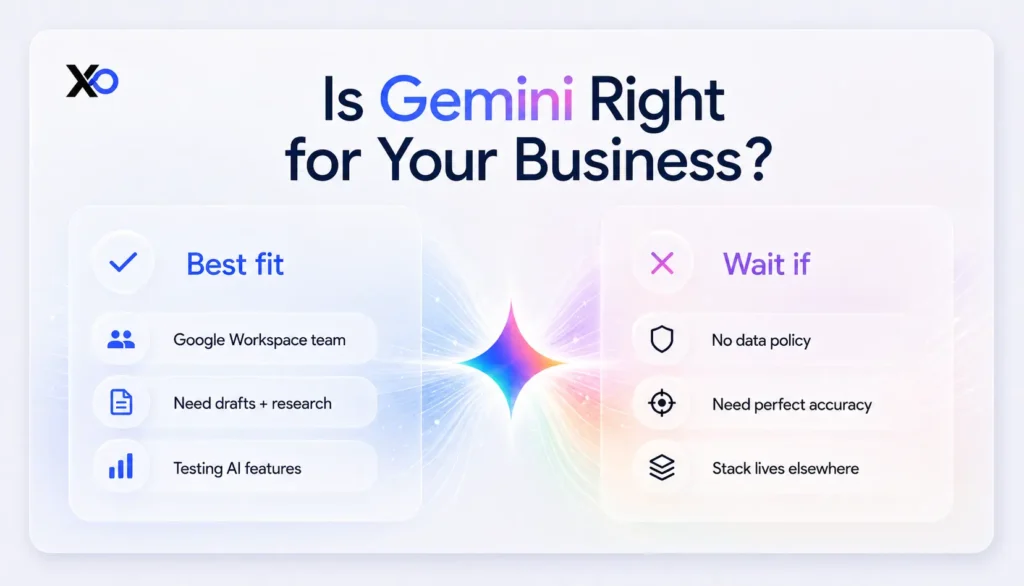
Google Gemini fits your company when your priority is faster thinking and execution across research, writing, analysis, collaboration, and lightweight technical exploration, especially if your team already depends on Google Workspace or Google Cloud.
| Best fit | Wait if |
|---|---|
| Your team already uses Gmail, Docs, Sheets, Drive, or Meet daily. | Your team has not reviewed what data can safely go into AI tools. |
| You need help with research, drafting, meeting notes, and analysis. | You expect AI output to be accurate without human review. |
| You are testing AI features or prototypes around Google Cloud. | Your core stack is built elsewhere and Gemini would add another tool to manage. |
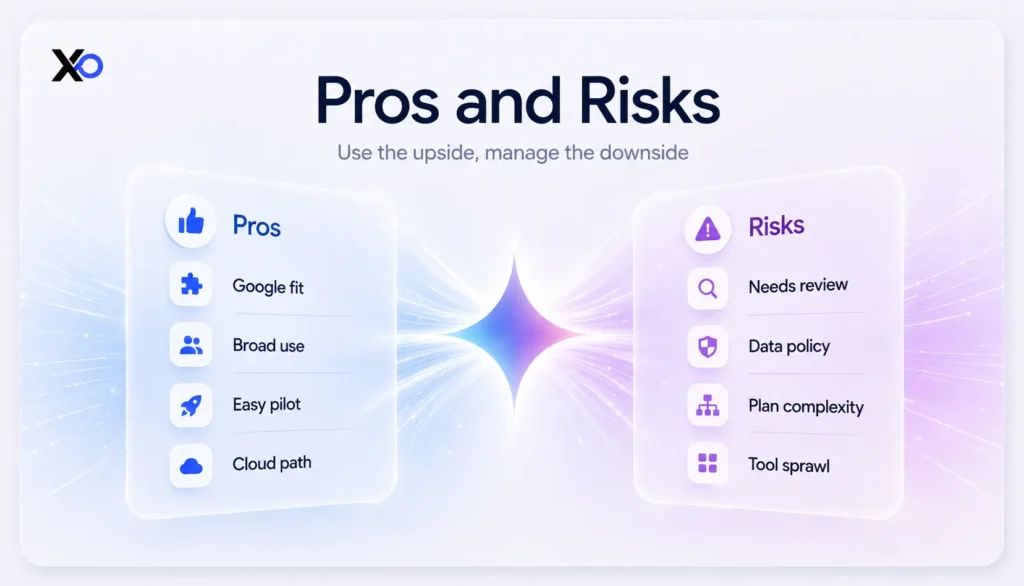
Use Gemini when it removes real friction from work your team already does. Wait when the use case is still vague or your team has not agreed on data boundaries.
Pricing Plans
Gemini pricing depends on how you use it. Founders may encounter free Gemini access, Google AI consumer plans, Google Workspace plans with Gemini features, and usage-based developer or cloud pricing. For early teams, Google Workspace pricing is often the clearest starting point because Gemini appears inside everyday collaboration tools.

Startup Perks AI Assistant
Have questions about credits? Let's chat instantly.
Google’s Workspace pricing page lists these business options in USD, with promotional pricing shown for new customers during the listed period. Pricing can change, so check the official Google Workspace and Google AI plan pages before committing.
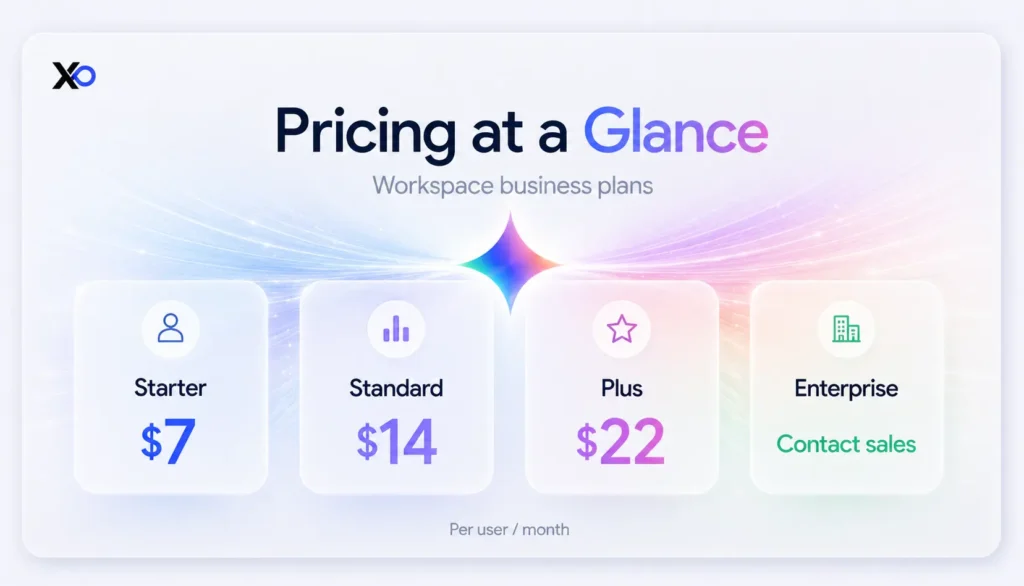
If you are buying Gemini for individual productivity, compare the Google AI plan page separately. If you are building with Gemini models, review Google Cloud and Vertex AI pricing rather than treating Workspace pricing as your production AI cost.
What Is the Best Alternative to Google Gemini for AI Tools for Startups?
Google Gemini may be the right fit if your team wants an AI assistant close to Google Workspace, Search, Cloud, and document work.
For direct Gemini alternatives, compare it with other general-purpose AI assistants first. After that, review infrastructure or workflow tools only if the assistant decision is clear.
ChatGPT
Choose ChatGPT if your team wants a general AI workspace for writing, research, analysis, coding help, file review, custom assistants, and broad daily productivity. It is usually the most direct Gemini comparison because both tools can support many founder, operator, product, and technical workflows.
Claude
Choose Claude if your team cares most about long-form writing, thoughtful document analysis, policy drafts, research synthesis, and careful reasoning over large blocks of text. It can be a strong Gemini alternative for founders who spend a lot of time turning messy context into clear decisions.
Microsoft Copilot
Choose Microsoft Copilot if your company already works heavily in Microsoft 365, Teams, Outlook, Excel, Word, PowerPoint, or Azure. It is the closest direct Gemini replacement for teams whose daily operating system is Microsoft rather than Google.
Perplexity
Choose Perplexity if your main need is research, source discovery, market scanning, competitor review, or fast answers with visible citations. It is less of a full workspace assistant than Gemini, but it can be stronger for founder research loops.
Mistral or Model API Tools
Choose Mistral or other model API tools if you are not looking for a finished AI assistant and instead need model access for product features, internal tools, or AI infrastructure experiments. This is a more technical Gemini alternative and usually needs stronger engineering ownership.
For adjacent workflow thinking, XRaise’s guide to AI agents for startups can help you separate useful automation from AI theater.
What Customers Say About Google Gemini
What people generally like about Google Gemini
Verified product coverage and Google’s own product pages point to a few clear strengths: Gemini is close to Google apps, supports multimodal work, helps with research and writing, and gives technical teams a route into Google AI models. Founders who already use Workspace may find adoption easier because the AI appears near daily work.
What people generally dislike about Google Gemini
The practical concerns are accuracy, privacy, feature availability, and plan confusion. Google’s own privacy materials warn that Gemini Apps can produce inaccurate information and that users should avoid entering confidential information they would not want reviewed or used to improve services. For startups, that means Gemini needs a usage policy, not just enthusiasm.
Key Takeaways
- Google Gemini for startups is strongest when it supports work your team already does inside Google tools.
- Gemini use cases include research, drafting, summarization, analysis, meeting support, coding help, and AI prototyping.
- Gemini vs ChatGPT is usually a workflow decision: choose the tool that fits your team, data policy, and daily stack.
- Review Google Workspace, Google AI, and Google Cloud pricing separately because they solve different needs.
- If Gemini connects to your cloud or AI infrastructure plan, compare Google Cloud and related startup perks through XRaise before paying full price.
FAQ
Is there a Google Gemini promo code or startup offer available?
No dedicated Gemini perk appeared in the local XRaise startup perks sitemap used for this article. If your Gemini use connects to Google Cloud, review the Google Cloud startup perk through XRaise and check the eligibility, billing, and covered services before claiming.
What is Google Gemini?
Google Gemini is Google’s AI assistant and model family. It supports tasks such as writing, research, summarization, analysis, coding, content creation, and AI assistance across Google products.
What do startups typically use Gemini AI for?
Startups can use Gemini AI for customer research, investor memo drafts, sales follow-ups, support summaries, meeting notes, content outlines, product analysis, spreadsheet help, and early AI prototype work.
Gemini vs ChatGPT: what is the practical difference?
The practical difference is workflow fit. Gemini is often attractive for teams already using Google Workspace or Google Cloud, while ChatGPT may fit teams that prefer a different AI workspace, model behavior, or ecosystem.
Is Google Gemini easy to use for non-technical teams?
Yes, basic Gemini use is approachable for non-technical teams. The harder part is not the interface; it is creating clear rules for data, review, ownership, and which workflows Gemini should actually support.
What AI tools for startups should you compare with Gemini?
Compare Gemini with the tools that match your real job: cloud AI platforms, automation tools, knowledge bases, coding assistants, CRM assistants, research tools, and customer support AI. XRaise can help you review adjacent perks before adding new recurring costs.
Should You Choose Google Gemini for Your Team?
If your priority is faster research, writing, analysis, collaboration, and lightweight AI support inside a system your team already uses, Google Gemini is one of the most practical AI tools for startups to consider. It is especially strong for Google Workspace-heavy teams, AI-first builders exploring Google Cloud, and founders who want AI close to daily work instead of another isolated app.
If you’re on the fence, run a real two-week test with live workflows, real users, and real follow-ups. Do not judge it from a sandbox demo only.
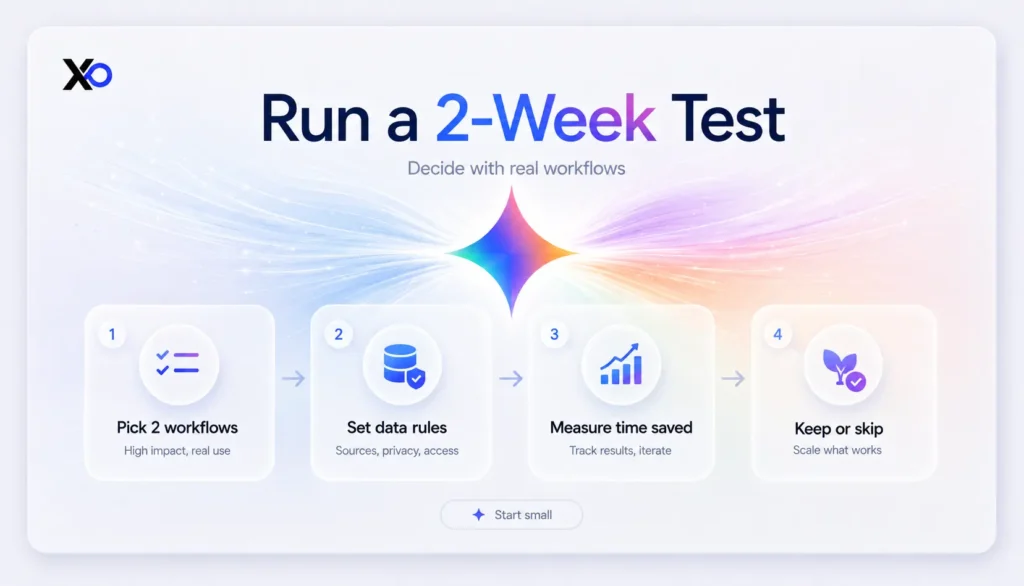
Before you commit, check the Google Cloud startup perk on XRaise if Gemini is part of a larger Google Cloud, Vertex AI, Firebase, or AI infrastructure plan.
Google Gemini features, pricing, eligibility, product availability, privacy settings, and redemption paths can change. Before you commit, review the XRaise listing, Google’s official pricing pages, Google Workspace admin guidance, and Google Cloud pricing materials. Product names, logos, and trademarks belong to their respective owners. This article should not imply an official partnership between XRaise and Google unless that relationship is separately verified.