Last verified: September 3, 2026
TL;DR
- Azure credits for startups can reduce early Microsoft Azure spend when you have a real infrastructure need.
- The main risk is using credits to justify a premature cloud commitment before you understand usage, coverage, and post-credit cost.
- Current Microsoft guidance: the standard progression starts at $200, then may move to $5,000 after business verification, $25,000 and $50,000 with sustained Azure workload adoption, and up to $150,000 at the highest documented standard milestone. Each increase is conditional—not automatic.
- Before you apply, review the Microsoft Azure for Startups perk through XRaise and confirm eligibility, service coverage, billing rules, and region support.
What is Microsoft Azure for Startups?
Microsoft Azure for Startups is a cloud platform perk built to help early companies use Azure services with startup credits and straightforward new-account onboarding. Rather than making Azure the right answer for every startup, it helps you answer one practical question: “Do we already have a Microsoft-shaped infrastructure need worth applying for now?”
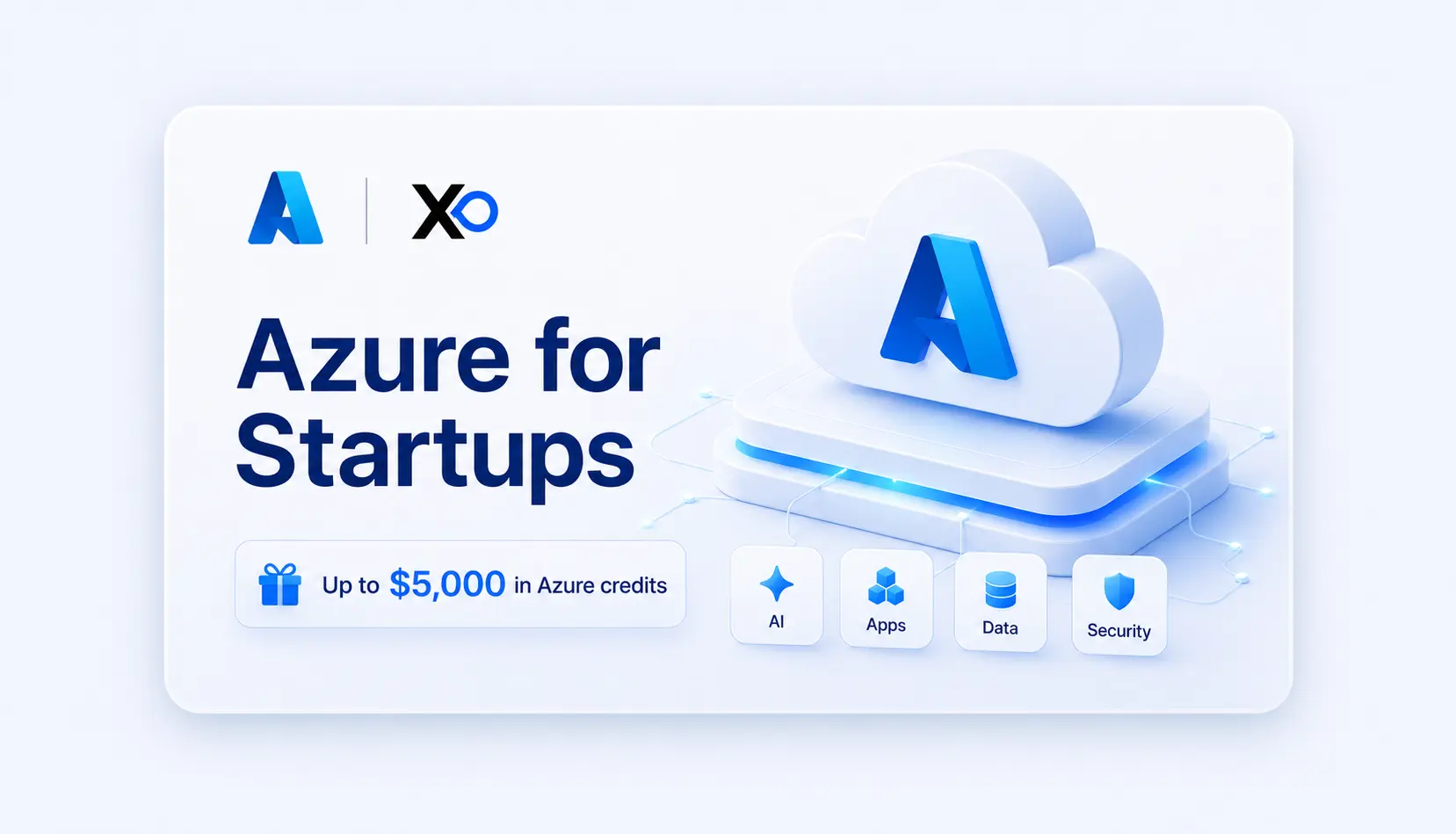
Microsoft’s current standard progression starts with $200 in starter credits when the Azure account is created. It may increase to $5,000 after business verification, then $25,000 and $50,000 with sustained Azure workload adoption, and up to $150,000 over time at the highest documented milestone. Each increase depends on verified progress, service adoption, sustained usage, and program eligibility; it is not automatic. Treat the XRaise listing as a route to review the offer, but verify the amount shown in Microsoft’s current application flow before budgeting around it.
Related Posts


If you are comparing cloud programs, the XRaise guide to cloud credits for startups and the XRaise comparison of AWS vs Azure for startups are useful companion reads.
How Does It Work?
✓ Start with the Workload, Not the Credit Amount
Before applying, define the Azure use case you would fund even without credits. This might be app hosting, databases, AI services, enterprise security, Microsoft identity, analytics, or a product roadmap tied to Microsoft-heavy customers.
✓ Check the New Azure Customer Requirement
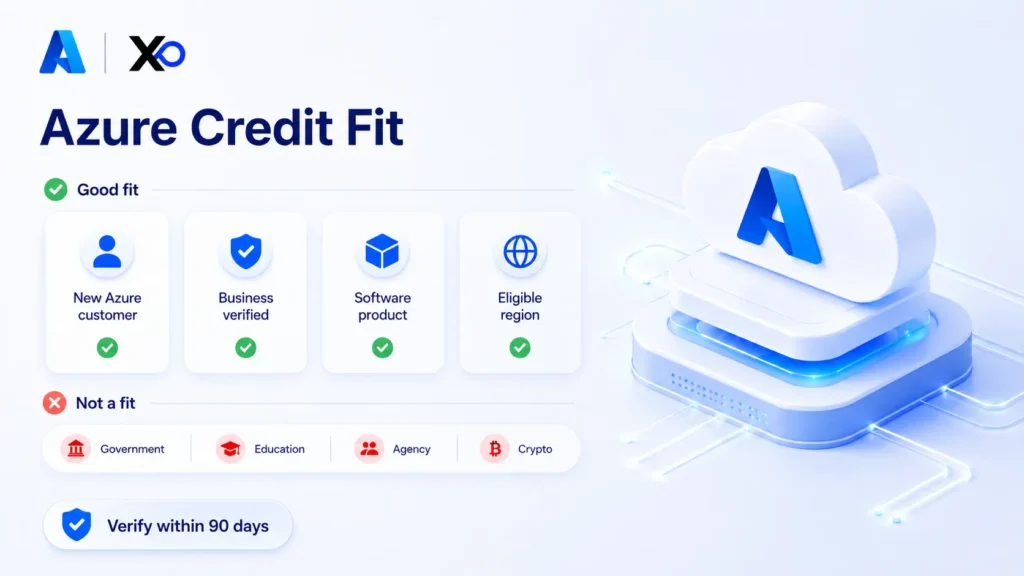
The XRaise-listed Azure perk is for new Azure customers with no prior Azure account usage. You also need a valid Microsoft Account and must be in a supported country or region. Before verification, make sure the registered business name and address match the legal documents you submit, because mismatches can delay or block approval.
✓ Activate When You Can Use Credits Responsibly
Microsoft says the credit balance can take up to 24 hours to fully update after account creation. Activate only when you have a billing owner, budget alerts, a usage estimate, and a post-credit cost model. Before provisioning, set a 30-day usage plan: choose one workload, use the smallest production-like architecture, apply owner and environment tags, set budgets, review spend weekly, and clean up idle resources.
The Main Features and Benefits of Microsoft Azure for Startups
Broad Azure Service Coverage
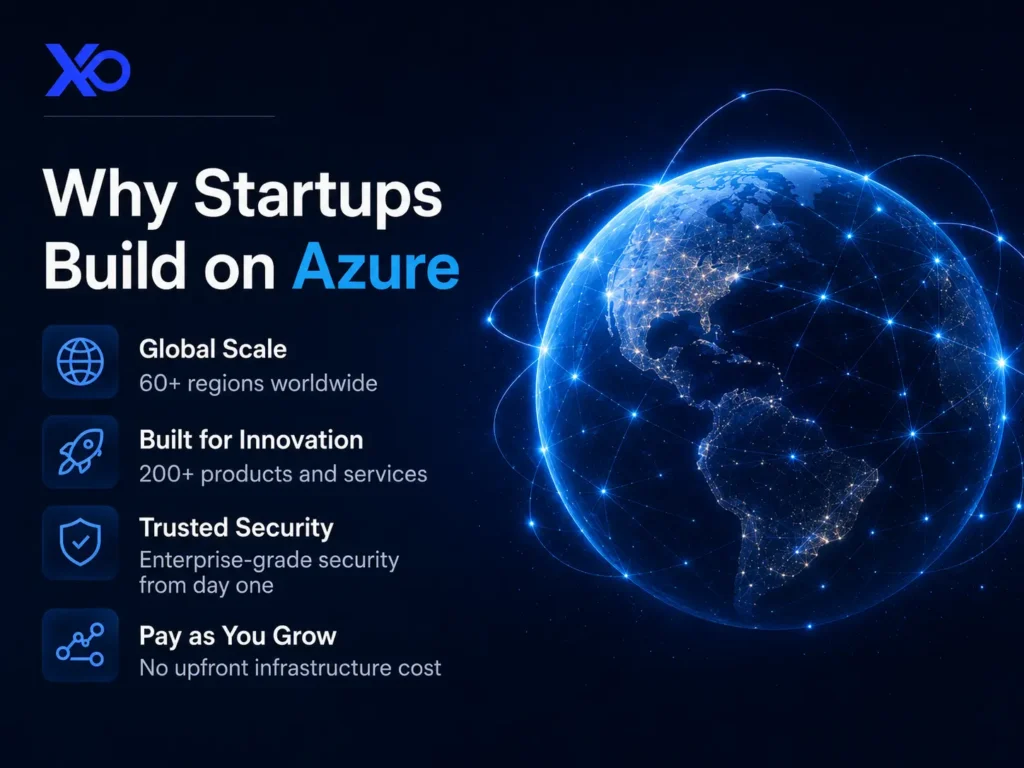
Credits can be used across eligible Azure-billed services such as compute, containers, app hosting, serverless functions, virtual machines, storage, databases, networking, security, observability, Azure AI, Azure OpenAI, Azure AI Search, and Microsoft Foundry where account, region, quota, and service rules allow. Treat coverage as conditional: non-Azure products, Microsoft Support Plans, Azure Marketplace purchases, and third-party services may not be covered.
Strong Enterprise SaaS Fit
Azure is often practical for startups selling into Microsoft-heavy customers, regulated buyers, enterprise IT teams, or organizations using Microsoft identity and security tools.
AI and Data Workflows
Azure can support AI apps, data pipelines, managed databases, app services, analytics, Azure AI Search, Microsoft Foundry, and Azure OpenAI workloads where regional availability, quota, and account rules allow it. For AI products, keep model usage tied to a bounded workflow and track cost per successful task, latency, retrieval quality, token usage, and output quality before scaling.
Runway Planning Support
Used well, Azure credits buy learning time while you validate architecture, usage, and cost before the full cloud bill becomes part of your burn.
Is Microsoft Azure for Startups Right for Your Business? Pros and Cons
Microsoft Azure for Startups fits your company when your priority is building real cloud infrastructure, especially if your team wants Azure services, Microsoft ecosystem alignment, enterprise buyer credibility, and cost relief without locking in too early.
Pros
- Strong Microsoft ecosystem fit: Azure can pair naturally with Microsoft identity, security, developer, and enterprise customer workflows.
- Useful cloud cost relief: The standard progression begins at $200 and may grow through $5,000, $25,000, $50,000, and up to $150,000 as documented requirements are met.
- Enterprise-friendly platform: Azure can support B2B, regulated, data, AI, and security-conscious startup workloads.
- Broad infrastructure coverage: Azure includes compute, containers, databases, storage, networking, analytics, AI, and developer services.
- Strategic timing value: Applying at the right stage can help you fund real usage instead of theoretical experiments.
Cons
- New-customer rule matters: Existing Azure users with prior account activity may not qualify for this XRaise-listed perk.
- Credits can distort architecture: A large benefit can make Azure feel right before workload fit is proven.
- Billing still needs ownership: Credits do not remove the need for budgets, alerts, cost reviews, and cleanup.
- Azure can be complex: Small teams may need technical ownership to choose services, permissions, regions, and cost controls.
- Post-credit cost matters: Your paid monthly bill still needs to make sense after credits are used or expire.
Azure credits are strongest when Azure is already a serious product or customer-fit choice. If credits are the only reason you would choose Azure, slow down and compare the workload first.
Pricing Plans
Azure pricing is usage-based, so there is no single Azure Credits for Startups subscription price. Your cost depends on the services you use, region, data transfer, compute size, storage, support, commitments, and product configuration. Microsoft also offers an Azure free account path with limited free usage and a short initial credit window, but startup credits and standard free-account credits are not the same thing. Plan for paid Azure usage if startup credits are exhausted, expire, or do not cover a service, and use the pricing calculator before moving production workloads.
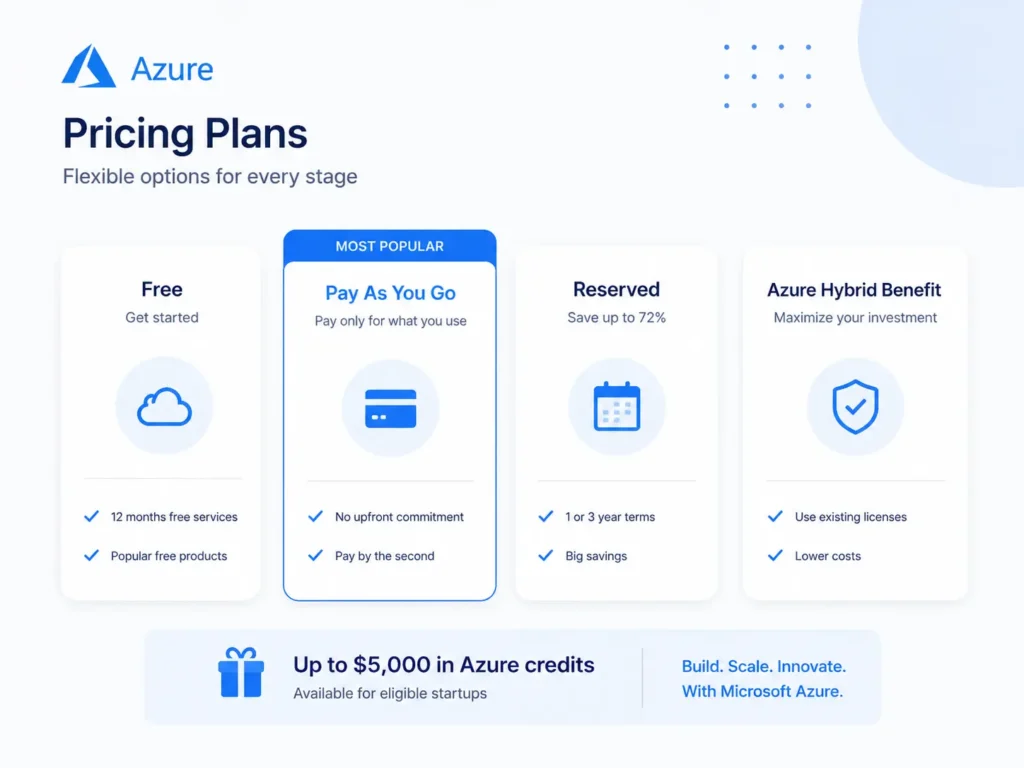
Use the official Azure pricing pages and calculator before you apply or move production workloads. If you are thinking through broader cost control, XRaise’s cloud credits for startups guide is a useful frame for separating real savings from delayed spend.
Save on Microsoft Azure for Startups with the XRaise Perk
The best startup perks are not the ones you claim and forget. They support work you already need to do. If Azure is on your roadmap, use the XRaise-listed Microsoft for Startups route to review the offer, then confirm Microsoft’s current application requirements and benefit level before you rely on it.

Microsoft Azure for Startups
Standard milestones: $200, $5K, $25K, $50K, then up to $150K as requirements are met.
How to Use the Microsoft Azure for Startups Perk
- Open the Microsoft Azure for Startups offer page on XRaise.
- Review Microsoft’s current application path, including whether you have an optional Investor Network referral code and whether the account-creation requirements fit your startup.
- Check eligibility, supported country or region, service coverage, billing cycle, plan rules, and renewal pricing.
- Apply only if Azure supports a workflow you are ready to test or scale.
What You Get
- Standard milestone 1: $200 in starter credits when the Azure account is created.
- Standard milestone 2: $5,000 after business verification of a registered legal entity.
- Standard milestones 3–5: $25,000 after 5+ workloads for about 60 days, $50,000 after 7+ workloads for about 60 days, and up to $150,000 with 10+ workloads plus about $3,000/month sustained Azure usage for about 60 days.
- Startup credits for eligible Azure services on the sponsored subscription; exclusions can include non-Azure products, support plans, and Azure Marketplace purchases.
- Investor Network distinction: investor backing and a referral code are not required for the standard progression. Startups backed by a Network partner may be eligible for additional or accelerated benefits after Microsoft review.
Who Is Eligible?
- You must be a new Azure customer.
- You cannot have prior Azure account usage.
- You need a valid Microsoft Account.
- You must reside in a supported country or region.
Who is it best for?
This perk is best for startups with near-term Azure, AI, data, SaaS, enterprise, identity, security, or Microsoft-aligned infrastructure needs. If your team is still comparing providers, read the XRaise article on Google Cloud credits for startups before applying.

Startup Perks AI Assistant
Have questions about credits? Let's chat instantly.
Before you claim it, check the discount, eligibility, billing cycle, plan rules, and renewal pricing on the XRaise listing.
What Is the Best Alternative to Microsoft Azure for Startups for Cloud Credits?
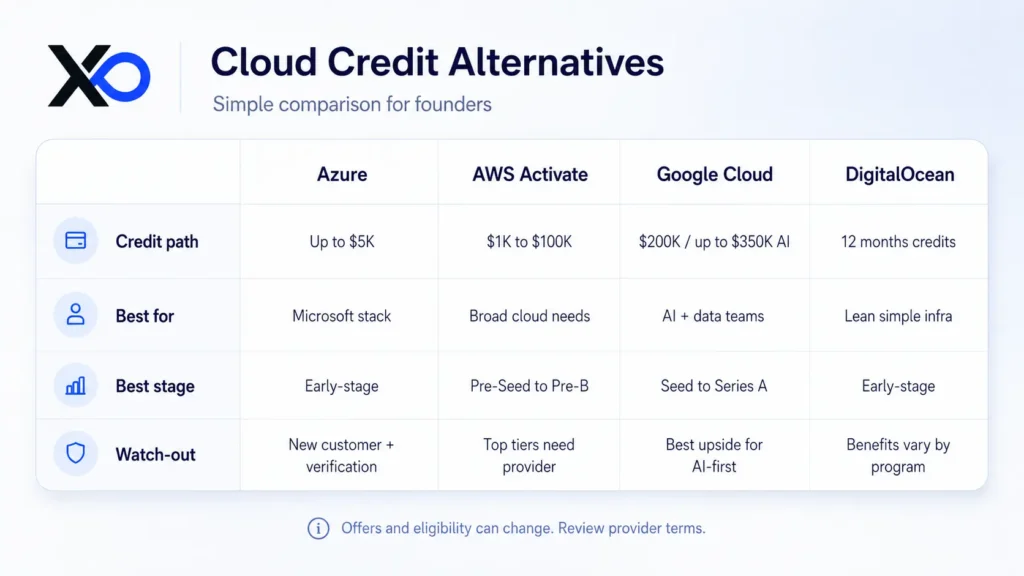
Azure credits may be the right fit if your product, buyers, or technical roadmap already point toward Microsoft. If your workload, team skill, or cloud economics point elsewhere, compare it with related startup perks available on XRaise before choosing.
AWS Activate
Choose AWS Activate if your startup needs broad infrastructure depth, mature cloud services, flexible architecture, or an AWS-first technical team. Review the AWS Activate perk on XRaise before choosing, and use the XRaise guide to AWS Activate credits for startups for more context.
Google Cloud
Choose Google Cloud if your product depends on Google-native AI, data, analytics, Firebase, BigQuery, Vertex AI, or Gemini-style workflows.
DigitalOcean
Choose DigitalOcean if your team wants simpler cloud operations before hyperscaler complexity is justified. The XRaise guide to DigitalOcean for startups is useful if your priority is lean infrastructure.
If you want the broader cloud-credit decision framework, read XRaise’s Best Cloud Credits for AI Startups Building in 2026.
What Customers Say About Microsoft Azure for Startups
What people generally like about Microsoft Azure for Startups
Founder-facing Microsoft materials and XRaise cloud-credit coverage point to Azure’s enterprise credibility, AI and developer tooling, security posture, Microsoft ecosystem alignment, straightforward new-account onboarding, and potential to reduce early infrastructure spend.
What people generally dislike about Microsoft Azure for Startups
The practical cautions are the new-customer restriction, Azure cost complexity, service selection, usage monitoring, regional service availability, expiration planning, and the risk of choosing Microsoft infrastructure before the product truly needs it.
Key Takeaways
- Azure credits for startups are most useful when Azure supports a real workload, not a vague future cloud plan.
- The standard credit ladder is $200 → $5,000 → $25,000 → $50,000 → up to $150,000; each milestone has documented verification, workload, usage, and eligibility requirements.
- Investor Network benefits are separate: a referral code is optional for the standard program; Network-backed startups may be reviewed for additional or accelerated benefits, but no benefit level is automatic.
- Treat credits as temporary runway support, not proof that Azure is automatically the best architecture.
- Before you apply, map the workload, owner, expected usage, new-customer eligibility, service coverage, region support, and post-credit bill.
- Compare AWS, Google Cloud, DigitalOcean, and related credit paths if provider fit is still uncertain.
FAQ
Is there an Azure Credits for Startups promo code or startup offer available?
Azure credits work through Microsoft’s startup application and account-activation path, not a normal checkout promo code. The standard ladder starts at $200, may reach $5,000 after business verification, and can progress through workload-and-usage milestones to up to $150,000 over time for qualifying startups.
What do teams typically use Azure credits for startups for?
Teams use Azure startup credits for app hosting, compute, storage, managed databases, analytics, AI workloads, identity, security, containers, developer environments, and early production infrastructure.
What type of cloud credits program is Microsoft for Startups?
Microsoft for Startups is a startup program that combines Startup credits, Azure AI capabilities, technical resources, and go-to-market support. Its standard progression is $200, $5,000 after business verification, then $25,000, $50,000, and up to $150,000 as documented workload and usage requirements are met. Investor Network backing may make a startup eligible for separate additional or accelerated benefits; it is not required for the standard path.
Azure credits vs AWS Activate: what’s the practical difference?
Azure often fits Microsoft-aligned enterprise SaaS, AI, identity, security, and B2B customer environments. AWS Activate is often broader for general cloud infrastructure and teams already comfortable with AWS.
Should you apply for Azure startup credits before choosing a cloud provider?
You can review the perk early, but do not let the credit decide the architecture by itself. Choose the provider based on workload fit, customer needs, team capability, and the post-credit bill.
Can existing Azure users apply for the XRaise-listed Azure credit perk?
No. The perk details say it is for new Azure customers with no prior Azure account usage.
Should You Choose Microsoft Azure for Your Team?
If your priority is building on Azure with a system your team will actually maintain, Microsoft for Startups is a practical cloud credit path to consider. It fits enterprise SaaS, AI, data, security-conscious, and Microsoft-aligned startups that want infrastructure depth and ecosystem fit; start with the documented $200 entry credit, recognize the $5,000 business-verification milestone, and treat higher milestones through up to $150,000 as conditional on the documented workload, usage, review, and eligibility requirements.
If you’re on the fence, run a real two-week planning test with expected workloads, Azure pricing estimates, budget alerts, and a post-credit monthly cost model. Do not judge it from the headline credit amount only.
Before you commit, check the Microsoft Azure for Startups perk on XRaise to see whether you can reduce the cost while testing Azure properly.
Offer details, pricing, eligibility, billing rules, redemption steps, credit amounts, and renewal terms can change. Check the XRaise listing and Microsoft Azure pricing pages before committing. Product names, logos, and trademarks belong to their respective owners. This article should not imply formal partnership unless that relationship is verified by XRaise and the provider.