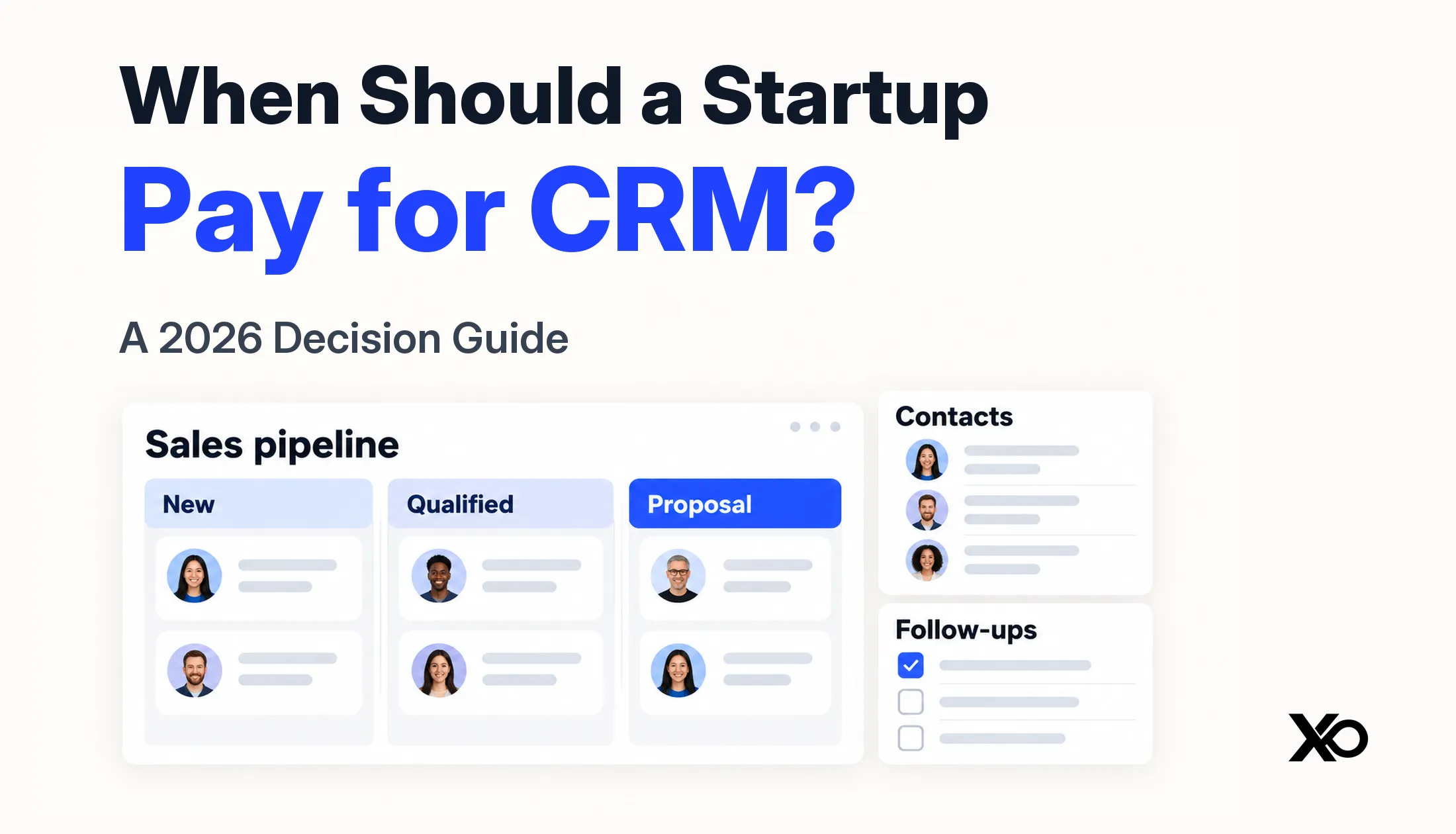
A startup should pay for CRM when a specific paid capability can remove a recurring sales problem that its current tools cannot handle reliably—and the team is ready to use and maintain it. Missed follow-ups, unclear ownership, repeated handoff failures, or necessary reporting can justify an upgrade. Funding, headcount, and a longer feature list cannot justify it on their own.
You may need better customer records before you need paid software. You may also need paid software before hiring a sales team if a complex buying process makes lost context expensive. The useful distinction is between needing structure and needing a particular paid capability.
TL;DR
- Record customer conversations before founder memory becomes the only source of truth.
- Use a free CRM when shared records solve the problem without a paid feature.
- Pay when an identifiable plan limit blocks a repeatable workflow worth supporting.
- Compare total CRM cost with observed follow-up failures, duplicated work, and handoff friction.
- Treat permissions, reporting, and automation as solutions to specific needs, not signs of maturity.
- Test one workflow with real opportunities before committing to a larger sales stack.
The real question is what is failing in your sales process
A contact list, a sales pipeline, and a revenue forecast do different jobs. A contact list records people. A pipeline tracks a possible purchase through agreed stages. A forecast adds judgments about amounts and timing. Buying all three capabilities does not mean your startup has the information to use them.




Start by describing the failure in plain language. “We need a professional CRM” is not a buying requirement. “Two founders contacted the same buyer without knowing about the other conversation” is. So is “our onboarding lead cannot find what sales promised.” Each statement tells you what a useful improvement would look like.
If the failure is missing information, better recordkeeping may be enough. If information exists but nobody knows the owner, fix ownership. If ownership is clear and the same action repeatedly slips, evaluate reminders or automation. If several teams need different views and access, more structured coordination may be justified.
This is a narrower decision than choosing an entire go-to-market stack. XRaise’s AI GTM tools guide covers the broader allocation of jobs across sales, research, meetings, and marketing tools. Here, the decision is whether the customer system itself needs a paid upgrade.
The four stages: Record, Share, Automate, Coordinate
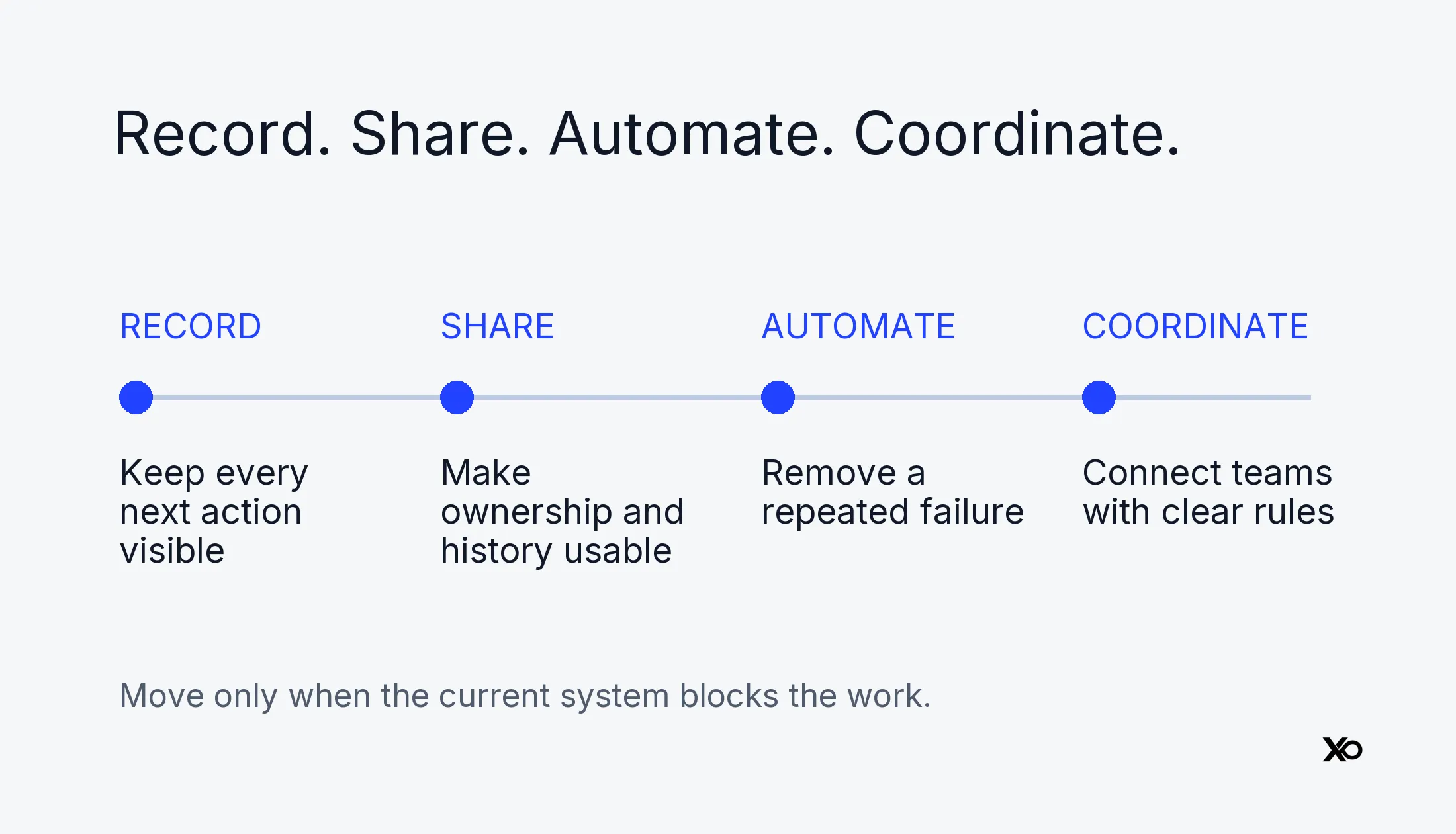
The Record → Share → Automate → Coordinate framework is XRaise editorial guidance, not a vendor maturity model or a validated scoring system. Move only as far as the current bottleneck requires. A company can remain at one stage for a long time, and a complicated sales motion may skip an intermediate stage.
| Stage | What must work | Sensible starting point | Upgrade trigger |
|---|---|---|---|
| Record | Every active opportunity has a next action | Shared spreadsheet or simple tracker | Context or actions become hard to retrieve |
| Share | People see the same owner and history | Free structured CRM | A specific plan limit blocks reliable work |
| Automate | Repeatable tasks happen consistently | Paid CRM with the needed capability | Cross-team rules and oversight become necessary |
| Coordinate | Sales and delivery work from agreed records | Structured sales system with an owner | Review complexity before adding more tools |
Record: keep the promise visible
Manual does not mean relying entirely on memory. Keep one place for the account, buyer, owner, stage, last meaningful interaction, and next action with a date. A spreadsheet can work when the process is simple and someone reviews it consistently.
The practical test is retrieval. Can you explain what happens next on every active opportunity without hunting through private inboxes? If yes, paying for CRM may not be your most urgent sales investment. If no, the first improvement is a reliable shared record.
Share: create one usable customer history
A free CRM can be enough when the need is contact organization, basic pipeline visibility, and consistent ownership. The free tier must support the actual people, records, and permissions required; “free” alone says little about fit.
Start with a small agreed field set. Record the buyer’s problem and next commitment, not every detail a form permits. A system that the team updates after real conversations is more useful than an elaborate database that remains empty.
Automate: remove a repeated failure
Paid CRM becomes a serious candidate when you can name both the recurring failure and the feature that addresses it. Examples include an owner-assignment rule, a follow-up workflow, a report required for a weekly decision, or access controls missing from the current plan.
Before paying, write the rule manually. Define its trigger, action, owner, exception, and review step. If people disagree about what should happen, automation would encode that disagreement rather than resolve it.
Coordinate: govern a connected sales system
Multiple sales motions, account stakeholders, delivery handoffs, and reporting obligations may require a more structured system. This does not automatically mean several new applications. Often it means clear data ownership, appropriate permissions, maintained integrations, and a named administrator around one CRM.
Keep customer identity consistent across tools. Decide which system owns each important field and who handles failures. For the downstream automation problem, use XRaise’s CRM automation evaluation guide, rather than treating an automation purchase as the starting point.
Signs you are paying for CRM too early
You are probably buying ahead of the problem when the proposed system takes more effort to explain than the sales process. A founder still testing the target customer may change qualification criteria every week. Extensive mandatory fields and rigid stages can make those experiments harder to record honestly.
Another warning is that nobody can identify a decision the new dashboard will change. Reporting is useful when someone acts on it. A colorful forecast built from arbitrary close dates creates confidence without improving the underlying evidence.
Watch for these practical symptoms:
- The subscription is justified by a possible future hire, not a current workflow.
- Most implementation work involves fields nobody uses in a conversation or review.
- The team wants automated outreach before agreeing on qualification and follow-up rules.
- The founder is the only seller and the current tracker reliably captures every commitment.
- A startup discount is the strongest argument for choosing the product.
These are prompts to investigate, not universal prohibitions. One founder selling a complex enterprise contract can need stronger records than several people handling simple transactions. The deciding variable is the work and risk involved, not an arbitrary headcount threshold.
Signs you have waited too long
Waiting becomes costly when information repeatedly fails at the same point. A promised follow-up is missed because it exists only in one inbox. Two people approach the same account. A buyer repeats requirements already discussed. Sales closes a deal but delivery cannot locate the agreed scope.
Separate isolated mistakes from a pattern. Review recent opportunities and write down the failure, the consequence, and what would have prevented it. Avoid assigning the full value of an unclosed deal to “CRM failure”; buyers decline for many reasons, and software cannot prove it would have changed the result.
A long sales cycle increases the importance of context even with few active opportunities. Multiple stakeholders, procurement steps, and changing commitments make the record harder to hold in one person’s head. Conversely, a large list of unqualified contacts does not necessarily justify a paid pipeline system.
The strongest upgrade case is observable: your team follows an agreed process, the existing tool repeatedly blocks it, and a tested paid feature removes that blockage. If the process is not being followed at all, address adoption before upgrading.
What a paid CRM actually buys you
Features matter through the work they enable. Automation may prevent an agreed next step from being forgotten. Reporting may reveal which qualified opportunities have no recent buyer action. Permissions may let delivery staff see handoff information without exposing unrelated records.
| Capability | Useful operational outcome | Question before paying |
|---|---|---|
| Automation | Repeatable actions happen on time | Is the rule stable and does someone own exceptions? |
| Reporting | A review leads to a concrete decision | Are the underlying fields reliable enough? |
| Permissions | Access matches responsibility | Which person needs which records? |
| Integrations | Context moves without duplicate entry | Which system wins when values disagree? |
| Pipeline configuration | Different sales motions remain understandable | Are those motions actually different? |
A paid plan does not guarantee that all these capabilities are included. A cheap entry tier can still exclude the workflow you need. Check the exact product, edition, seat type, usage allowance, and billing commitment against a written requirement.
For example, Close’s official plan comparison, checked October 10, 2026, lists workflows as excluded from Solo and Essentials and included in Growth. Solo is limited to one user and 10,000 leads. The lesson is about feature gating: “paid CRM” is not a single capability level. Verify the specific workflow before comparing prices.
What does a CRM actually cost a startup?
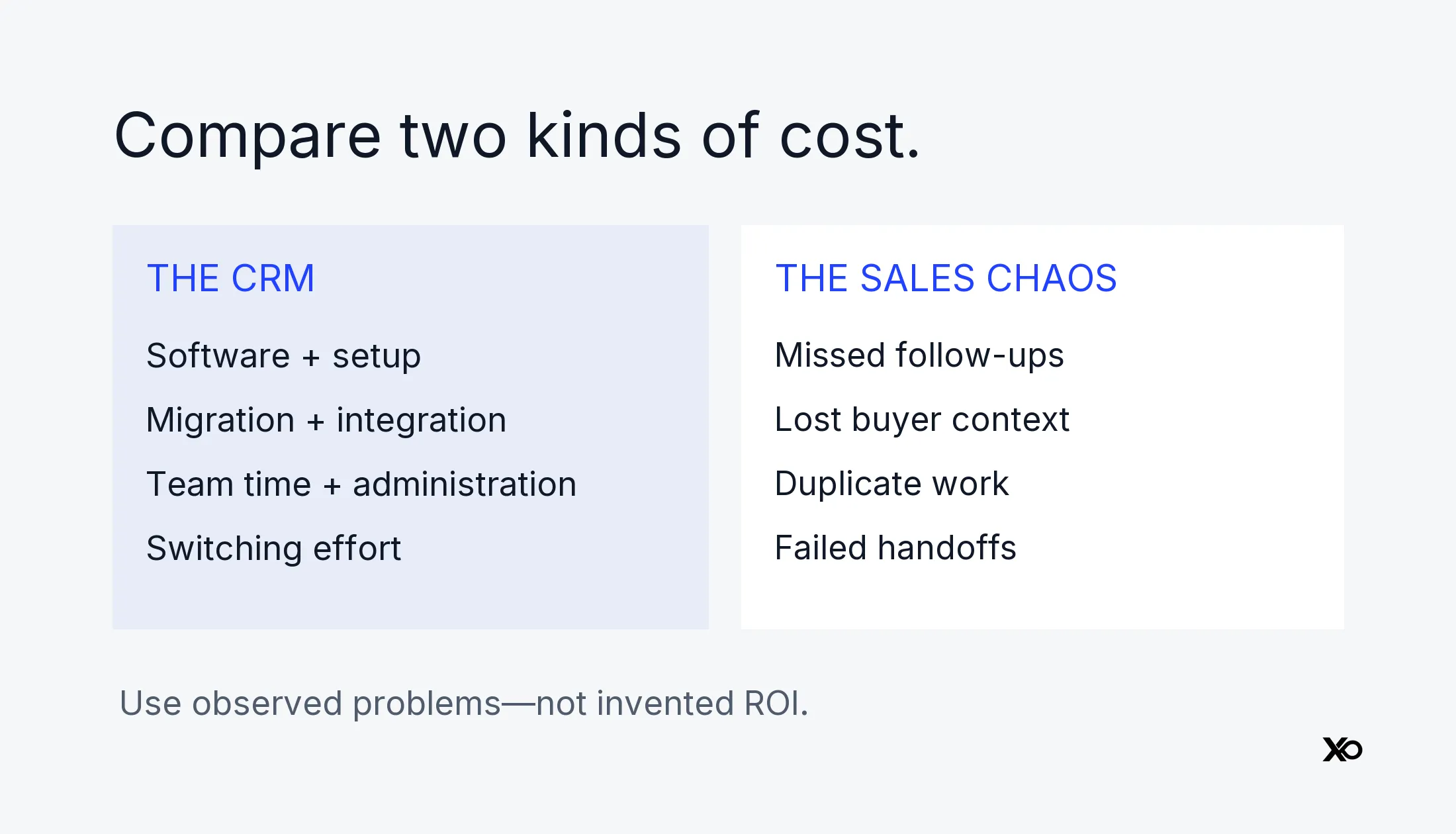
Calculate two separate budgets: cash paid to suppliers and team time consumed by the system. Then consider flexibility—the cost of changing a process after it has been encoded into fields, workflows, integrations, and training.
A useful planning model is subscription + setup + migration + integrations + team time + administration + switching effort. This is a checklist, not a numeric ROI formula. Use your actual quote and observed work; do not invent a standard payback period.
Subscription and billing commitments
Seat pricing needs a denominator. Count the people who require paid access, distinguish full users from other access types where offered, and check minimums. An advertised monthly equivalent billed annually is not the same cash commitment as a cancellable monthly plan. Taxes, usage charges, add-ons, and promotional terms can change the amount due.
Current examples illustrate the differences without ranking products:
| Official example, checked October 10, 2026 | Verified plan detail | Decision implication |
|---|---|---|
| HubSpot Free Tools | $0; up to two users; 1,000 contacts; no time limit | Test whether the free allowance covers your required records and people |
| Attio Plus, euro view | €39 per user/month on monthly billing; €31 on annual billing | Compare billing commitments, not just monthly equivalents |
| Attio Pro, euro view | €93 per user/month on monthly billing; €74 on annual billing | Price the tier containing the required reporting and controls |
HubSpot’s free-tools page also displays promotional Starter pricing from $7 per seat/month alongside $20, with a new-customer, limited-offer notice. That is not a universal renewal quote. Confirm the selected product, billing cycle, eligibility, and renewal price at checkout.
Attio’s euro pricing view lists these monthly and annual rates. Pro lists permission controls and advanced reporting. These examples are euro prices, not US-dollar quotes or currency conversions. Confirm the currency and terms for your account before budgeting.
Implementation, migration, and team time
Someone must define fields, map old records, remove duplicates, connect email or other systems, test the results, and teach the team. Provider guidance on CRM implementation treats goals, migration, training, and refinement as part of the rollout. A subscription purchase is only one step.
Make the internal estimate concrete: who will perform each task, what competing work will move, and what evidence marks completion? Do not count the same saved hour as both a salary reduction and extra selling capacity unless those outcomes actually occur. Founder time has opportunity cost even when it does not create an additional cash invoice.

Startup Perks AI Assistant
Have questions about credits? Let's chat instantly.
Process rigidity, maintenance, and exit
Every required field creates a habit to maintain. Every integration needs someone to notice stale data or incorrect mappings. Every custom workflow makes a future migration more than a contact export.
Include the exit test before committing: can you retrieve records, ownership, notes, and the context needed to keep selling? Test a small export, inspect it, and identify anything missing. A free entry plan can become costly to leave; a paid product can be economical if it stays simple and portable.
Free CRM vs paid CRM: identify the actual constraint
Free CRM is enough when it reliably supports your required people, records, and workflow. Paid CRM is justified when a relevant limit blocks that work and the upgrade performs better in a bounded test. Neither label substitutes for an evaluation.
| Situation | First move | Pay only when |
|---|---|---|
| Missing notes and next actions | Establish a shared record and review habit | The current tool cannot support that habit reliably |
| People cannot see account ownership | Define ownership and test shared access | Required collaboration or access is plan-gated |
| Repeated manual follow-up | Write the rule and test reminders | A paid workflow removes a recurring failure |
| Untrusted forecast | Repair stage definitions and data | Needed reporting is unavailable after that repair |
| Sales-to-delivery handoff fails | Define the handoff record and accountable owner | Required access or integration needs a paid tier |
As another free-entry example, Attio’s official pricing page lists a Free plan with up to three seats, real-time contact syncing, and automatic enrichment. That does not establish that it fits your permission or reporting needs. Compare your actual requirements rather than assuming that every free CRM offers the same capabilities.
Choose by sales stage, not company vanity
Pre-revenue teams doing customer discovery may need a relationship log more than a forecast. Track what was learned, who agreed to speak again, and the next action. Do not turn every interview into an opportunity to inflate the pipeline.
For founder-led sales, the priority is preserving buyer context and commitments. Use a simple tracker or free CRM until a demonstrated limitation appears. If the sale has multiple stakeholders or handoffs, evaluate those needs even when the founder is still the only seller.
Once a sales motion begins to repeat, define what moves an opportunity between stages. Look for buyer actions rather than seller optimism. A paid workflow becomes more plausible when it supports a rule already worth repeating, not when it merely produces more activity.
Before the first sales hire, make the record transferable. Ask whether another person could understand the customer, last commitment, decision process, and next step without interviewing the founder. Fix that gap before buying a broad reporting suite.
For a small sales team, establish ownership, exception handling, and one weekly review. Add permissions, reporting, and integration depth as the work requires. Review the rest of the startup tool stack so a CRM upgrade does not duplicate systems already doing the job.
How to choose without locking yourself in too early
Write a short acceptance test before watching demos. Specify one recurring failure, the required capability, who uses it, and what would count as improvement. Then test that workflow on a small set of real opportunities, including an awkward case such as reassignment or a delayed buyer response.
Check data portability using the provider’s documented process. Pipedrive’s import and export documentation, for example, describes field mapping, duplicate handling, and import history. Your own test must still confirm that the records and relationships you need survive the move.
Prefer the smallest configuration that passes. Ask for a quote at today’s seat count and a plausible next stage, including required add-ons. Record the renewal date, cancellation conditions, export procedure, and system owner. A startup offer can reduce cost, but it should follow the product decision. XRaise’s startup perks eligibility guide helps structure that separate check.
A 30-minute CRM readiness audit
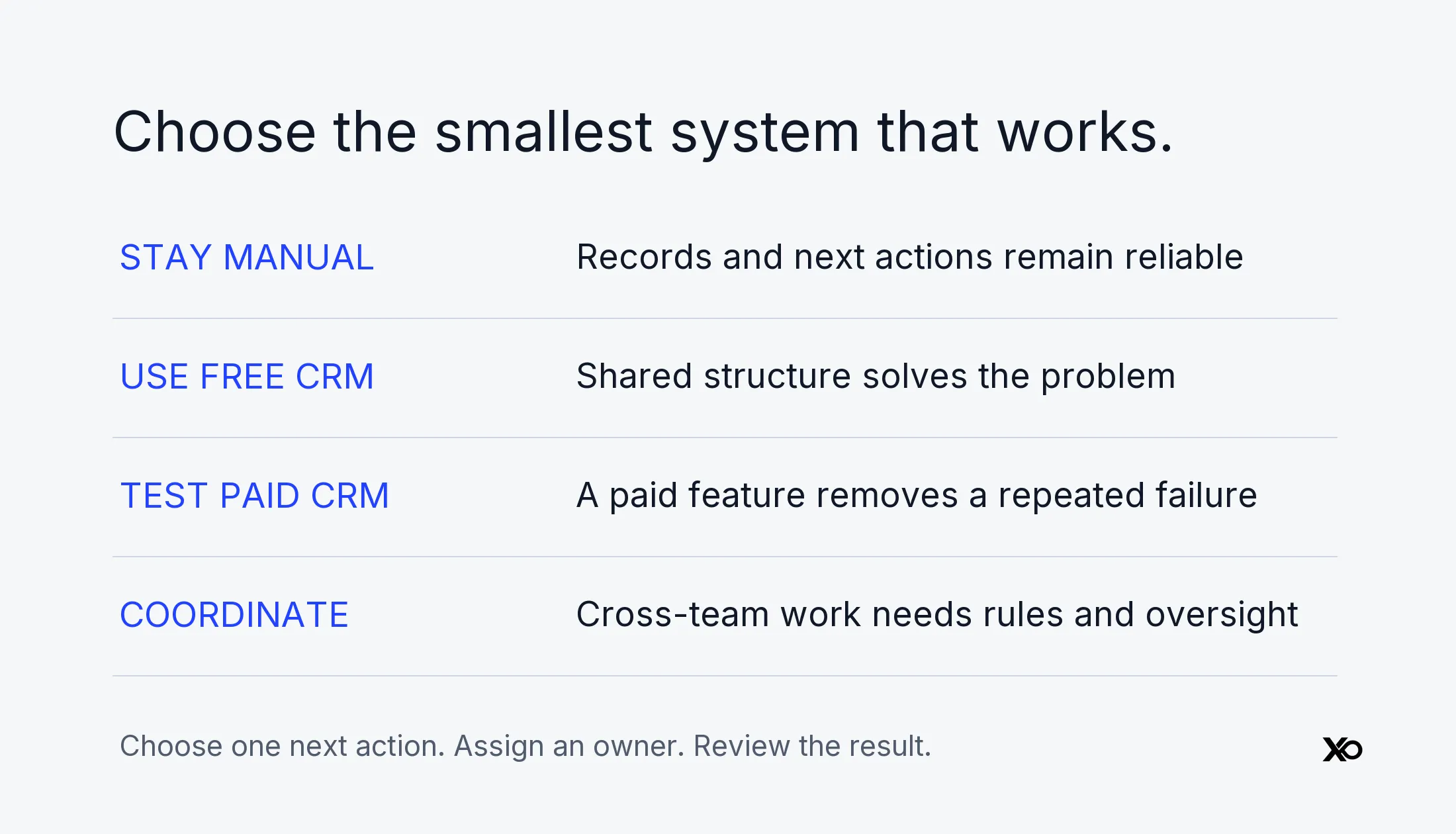
This is a proposed founder exercise, not a benchmark guaranteeing a result. Use recent active opportunities, not a polished demo pipeline.
Minutes 0–10: reconstruct the work
Pick several active opportunities. Find the owner, last meaningful interaction, next buyer-facing commitment, and due date. Note each place you have to search. Check whether another person can reconstruct the same picture.
Minutes 10–20: classify the failure
Place each problem in Record, Share, Automate, or Coordinate. Mark whether it comes from missing information, unclear responsibility, a tool limit, or an ignored process. This prevents an adoption problem from becoming an unjustified upgrade request.
Minutes 20–30: choose one next action
Choose one of four outcomes: stay manual, introduce free structure, test a paid capability, or define a coordinated sales system. Assign an owner and a review date. If testing paid software, record the exact feature, total cost assumptions, expected operational improvement, and an exit condition.
Practical playbook: test before expanding
First, establish a baseline from your own work: missed commitments, time spent reconstructing context, duplicate outreach, or incomplete handoffs. Keep categories consistent so the comparison remains useful.
Second, configure the smallest workflow that addresses the failure. Import only the records needed for the test, preserve a backup, and validate ownership and next actions. Keep consequential automation under review until you understand its behavior.
Third, have the people doing the work use it. A founder-only demo cannot prove that a sales-to-delivery handoff works. Check whether the recipient gets useful information at the right time.
Fourth, review observed improvement against subscription cost and maintenance time. A short pilot may establish usability without proving revenue impact, especially in a long sales cycle. State that limit honestly.
Finally, keep, simplify, or stop. Expand only after the first workflow works. If the tool fails, record why before trying another product; otherwise the same process problem will follow you into the next migration.
Common CRM mistakes to avoid
Buying a discount instead of a workflow creates a renewal problem later. Selecting the lowest tier without checking its feature gates can force an immediate upgrade. Automating inconsistent stages produces inconsistent actions faster.
Other avoidable mistakes include treating every contact as a qualified opportunity, requiring fields nobody reviews, building several sources of truth, and leaving administration to whoever has spare time. For each field or integration, name its purpose and owner. Remove configuration that no longer supports a decision.
Treat these choices as part of broader startup tool discipline. The goal is a customer record the team trusts, not a system with the most settings enabled.
FAQ
When should a startup use a CRM?
Use structured customer records when follow-ups, ownership, or account history become difficult to manage reliably. A spreadsheet may be sufficient initially. Move to a CRM when its record structure improves the actual workflow; paying is a separate decision based on the capabilities required.
When should a startup pay for CRM?
Pay when a specific paid feature addresses a recurring operational failure that your current tools cannot resolve adequately. Confirm that the process is defined, someone owns the system, and a real-work test supports the upgrade. Do not buy solely because the startup raised money or hired another person.
Is free CRM enough for a startup?
It can be, if the plan covers the required users, records, access, and workflows. Verify current limits and test daily use. A paid tier is worth evaluating when a relevant constraint appears, not simply because a free product seems less professional.
How much should a startup spend on CRM?
There is no universal sensible amount. Budget the applicable seats, billing commitment, required features, setup, integrations, and administration. Compare that cost with a documented operational problem. A low advertised seat price is insufficient if the needed capability requires a different tier.
When should you move from a spreadsheet to CRM?
Move when the spreadsheet can no longer maintain reliable ownership, history, and next actions without recurring workarounds. A missed update alone does not prove that new software will help. Test whether structured records and shared access improve the actual failure.
Does the first sales hire require paid CRM?
Not automatically. It requires transferable customer context and explicit ownership. A free CRM may provide both. Paid access becomes relevant if necessary collaboration, permissions, reporting, or automation is unavailable in the current plan.
What should you do next?
Choose the smallest system that reliably supports the next customer commitment. Pay for the missing capability, not the appearance of a sales organization. If you cannot name that capability, run the readiness audit before starting a subscription.
Use the CRM cost checklist, test one workflow, and keep a written renewal decision. The right outcome may be staying manual, using free CRM, paying for one upgrade, or organizing a connected sales system. The framework succeeds when your choice follows evidence from the work.